Google Calendar two-way sync
Booklink writes every confirmed booking to Google Calendar in real time, and reads back so personal events on your calendar (school run, lunch, GP appointment) automatically block your booking page.
Available on the Pro plan at R79/month.
Everything Google Calendar sync does
True two-way sync - not just a one-directional feed. Your diary and booking page stay in perfect agreement.
Bookings write to Calendar
Every confirmed booking appears on Google Calendar within seconds, with client name, service, and duration.
Calendar events block slots
Personal events on Google Calendar mark those times as busy on your booking page. Clients cannot book over them.
Real-time updates
Sync runs on webhooks, not polling. Changes on either side appear on the other within seconds, not minutes.
Per team member
Each team member connects their own Google Calendar. Their personal events only affect their own availability.
Cancel from either side
Delete a booking event from Google Calendar and Booklink cancels it. Cancel in Booklink and the event is removed from Calendar.
Secure OAuth
Connect via Google's standard OAuth consent flow. Booklink only reads free/busy times, not the content of personal events.
Google Meet links
Run lessons, consults, or coaching online. Switch on Meet links per service and every confirmed booking gets its own video link in the confirmation email and calendar invite.
Busy days greyed out
Opt in and days that your Google Calendar already fills completely are greyed out on the booking page, so clients skip straight to days where you actually have time.
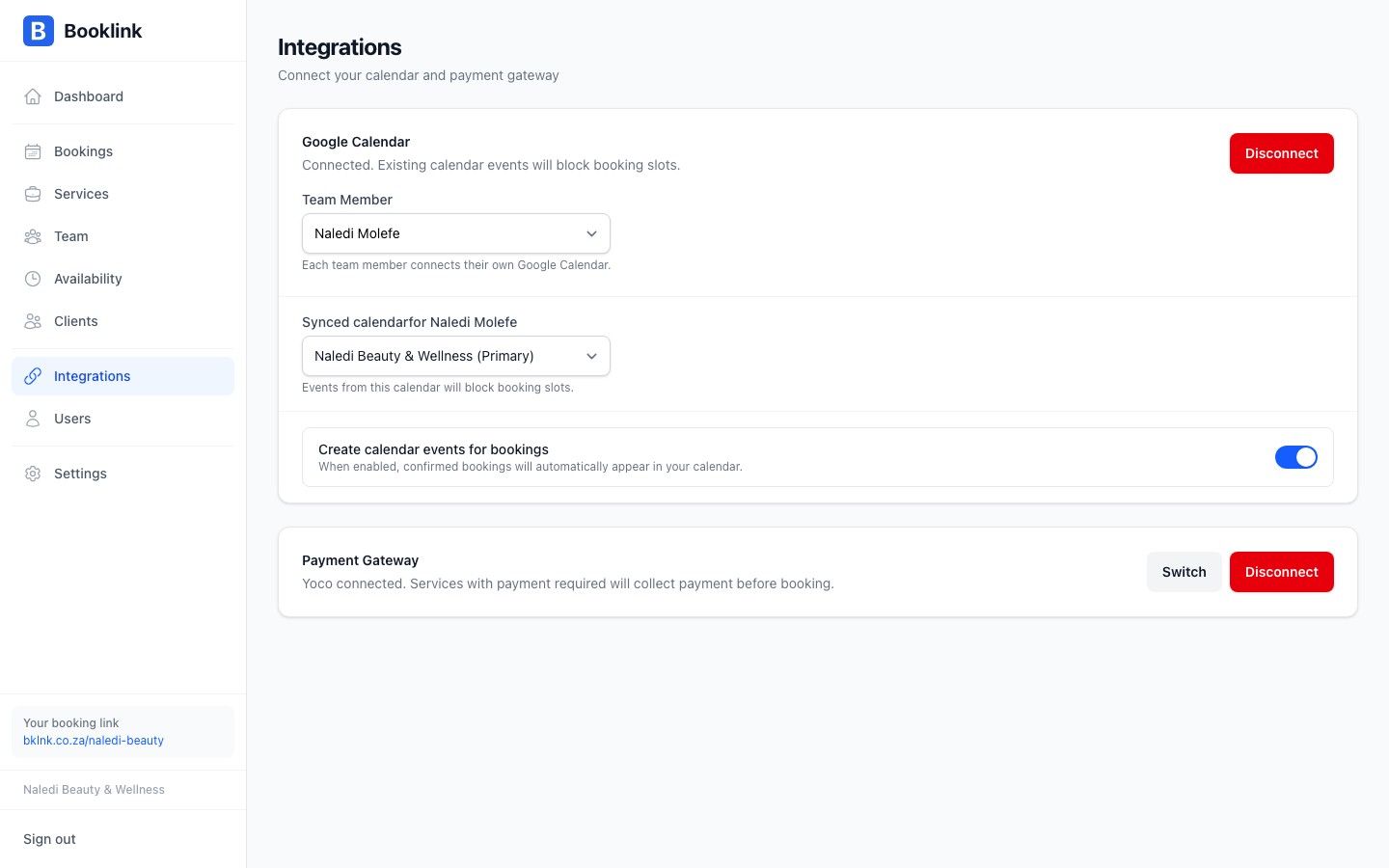
Connect a Google account via OAuth - bookings and personal events stay in sync in real time.
Quick answer
How does Booklink's Google Calendar sync work?
Booklink uses Google Calendar's push notification API to keep bookings and personal events in sync in real time. Once a user connects their Google account through OAuth, Booklink writes every confirmed booking as a calendar event on their primary Google Calendar, including the client's name, the service, and the booked duration. In the opposite direction, Booklink subscribes to changes on that calendar, so when the user adds a personal event (a school run, a doctor's visit, a holiday), that time slot is marked as busy on their public Booklink booking page. Clients cannot book over those times. Each team member on a Pro plan connects their own Google Calendar, so personal events only block that individual's availability, not the whole team's. Services can also generate a Google Meet link for every confirmed booking: the link is included in the client's confirmation email, the calendar invite, and their manage-booking page, which makes Booklink a natural fit for tutors, consultants, and coaches who work online. Providers can additionally opt in to grey out fully booked days on the public booking page based on Google Calendar busy times. Booklink only reads free/busy information from events it did not create - event titles, descriptions, and attendees of personal events are never stored or displayed.
Frequently asked questions
Does the sync work both ways?
Can Booklink see the details of my personal events?
What if I cancel a booking on Google Calendar?
Can Booklink create Google Meet links for online appointments?
Do I need a paid Google Workspace account?
Explore more Booklink features
New to online booking? Read the full online booking guide for South African businesses.
Stop double-bookings today
Google Calendar sync is part of the Pro plan at R79/month. Connect in under a minute.
Create your free account