Online booking system for South Africa
Your booking page should look as good as your work.
Pick a layout and a theme, add your logo, colour and photos. Clients book and pay a deposit through Yoco, Paystack, PayFast or iKhokha, then get WhatsApp reminders. Free plan. No commission.
Free plan · Layouts and themes on Pro, R79 a month · No card required
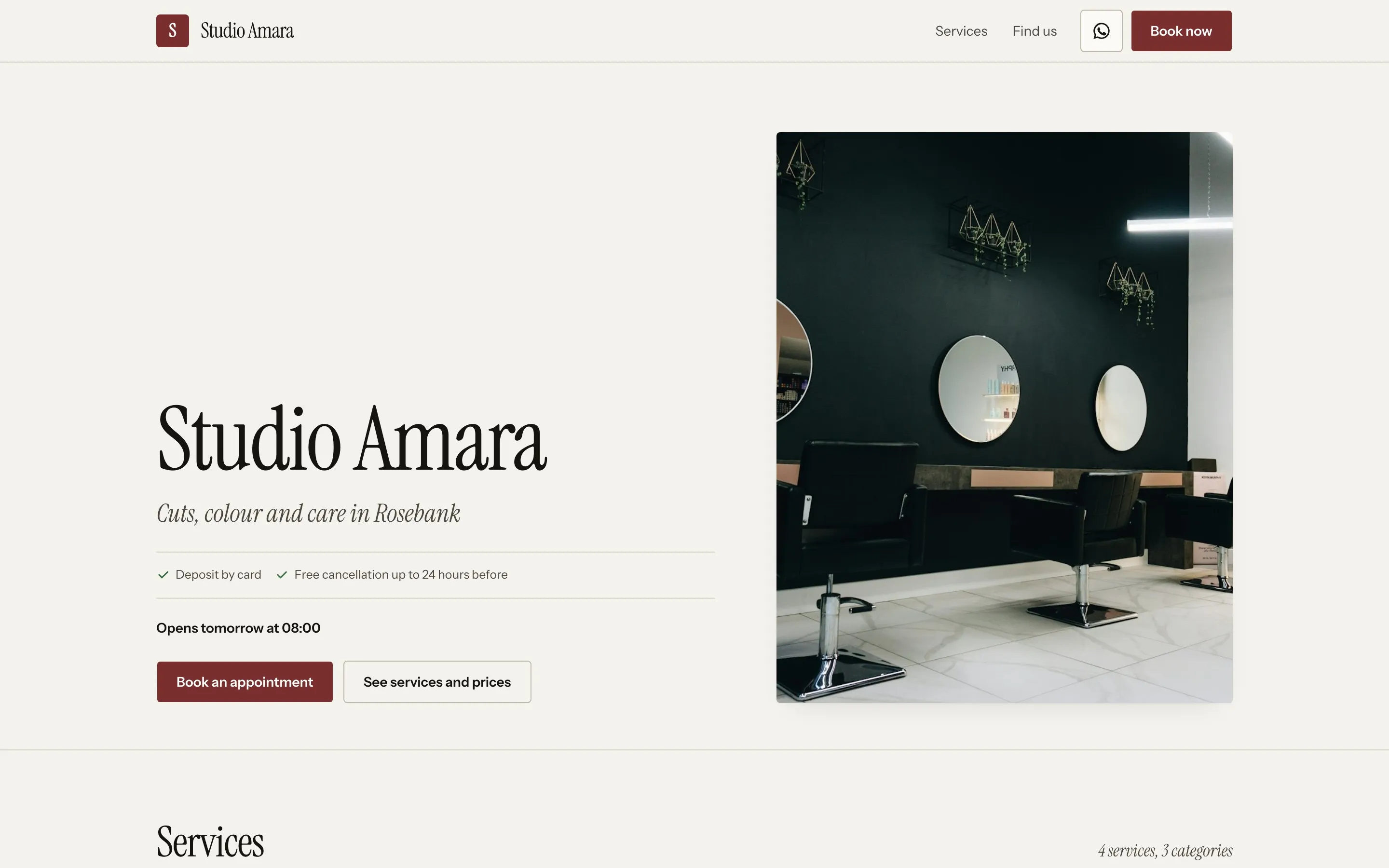
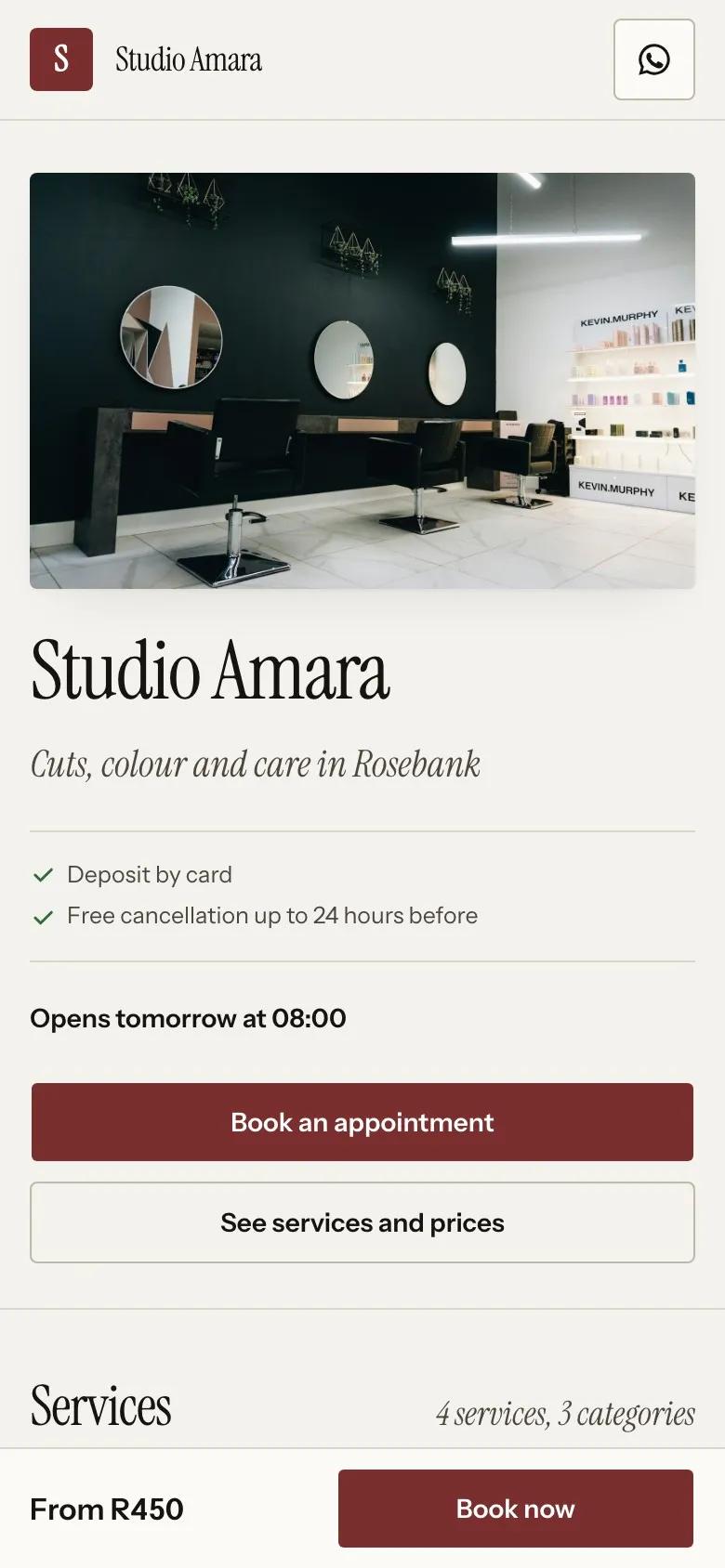
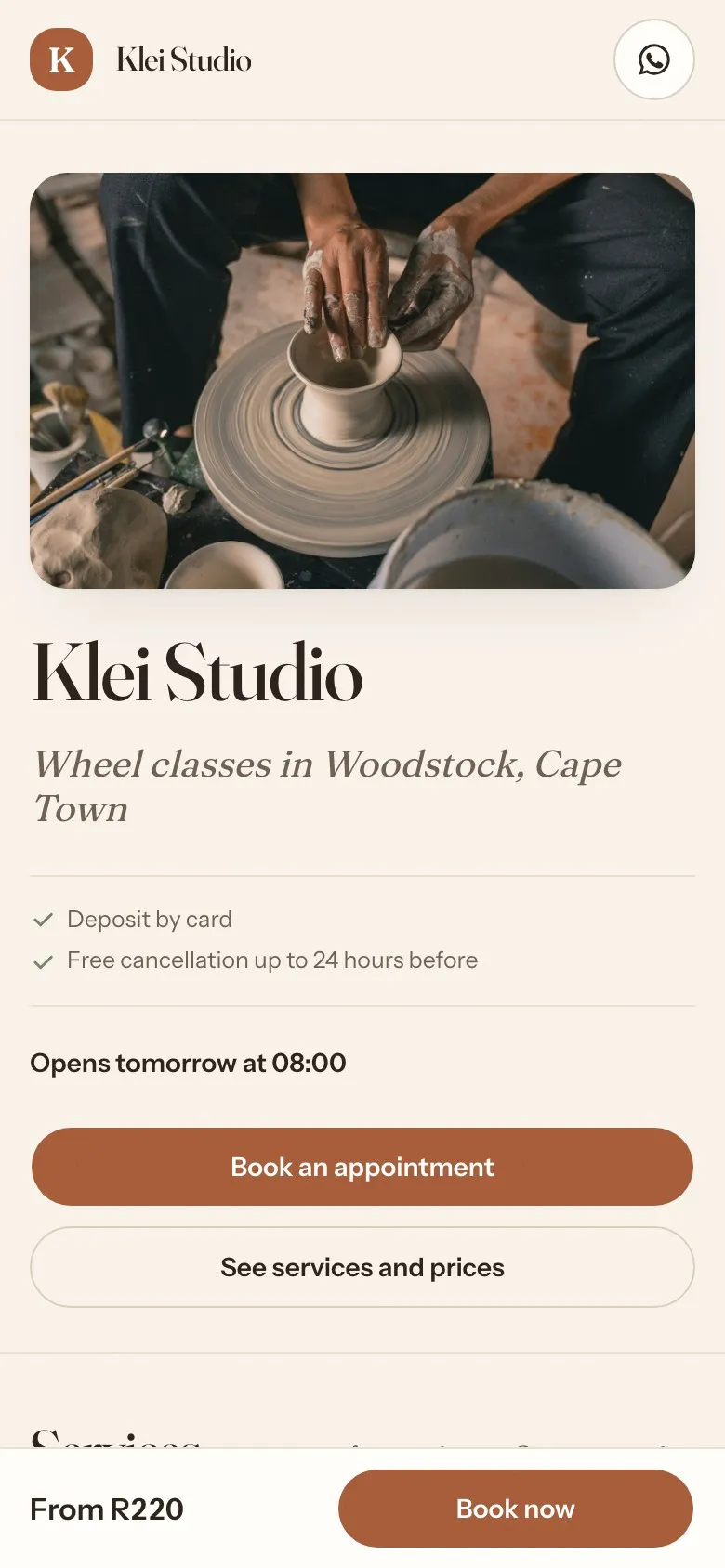
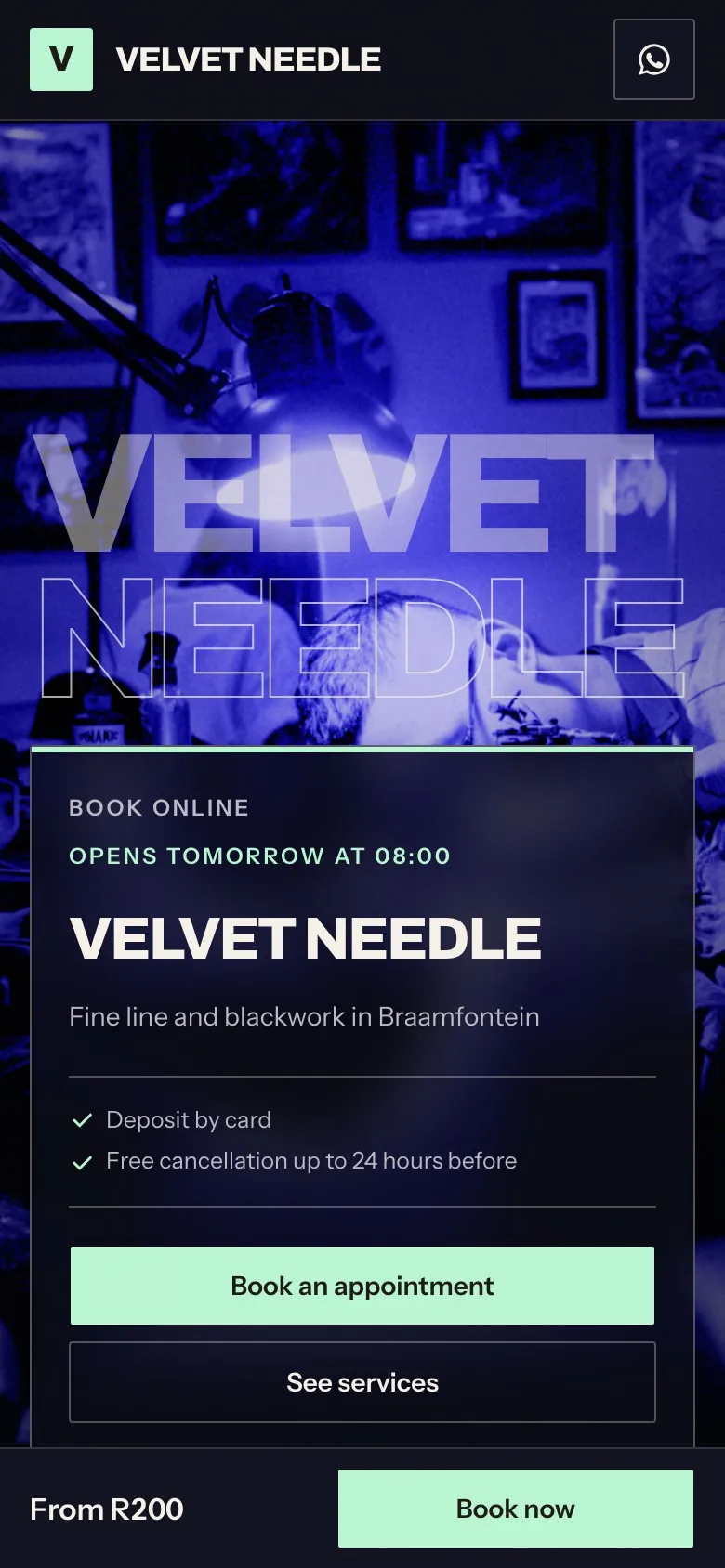
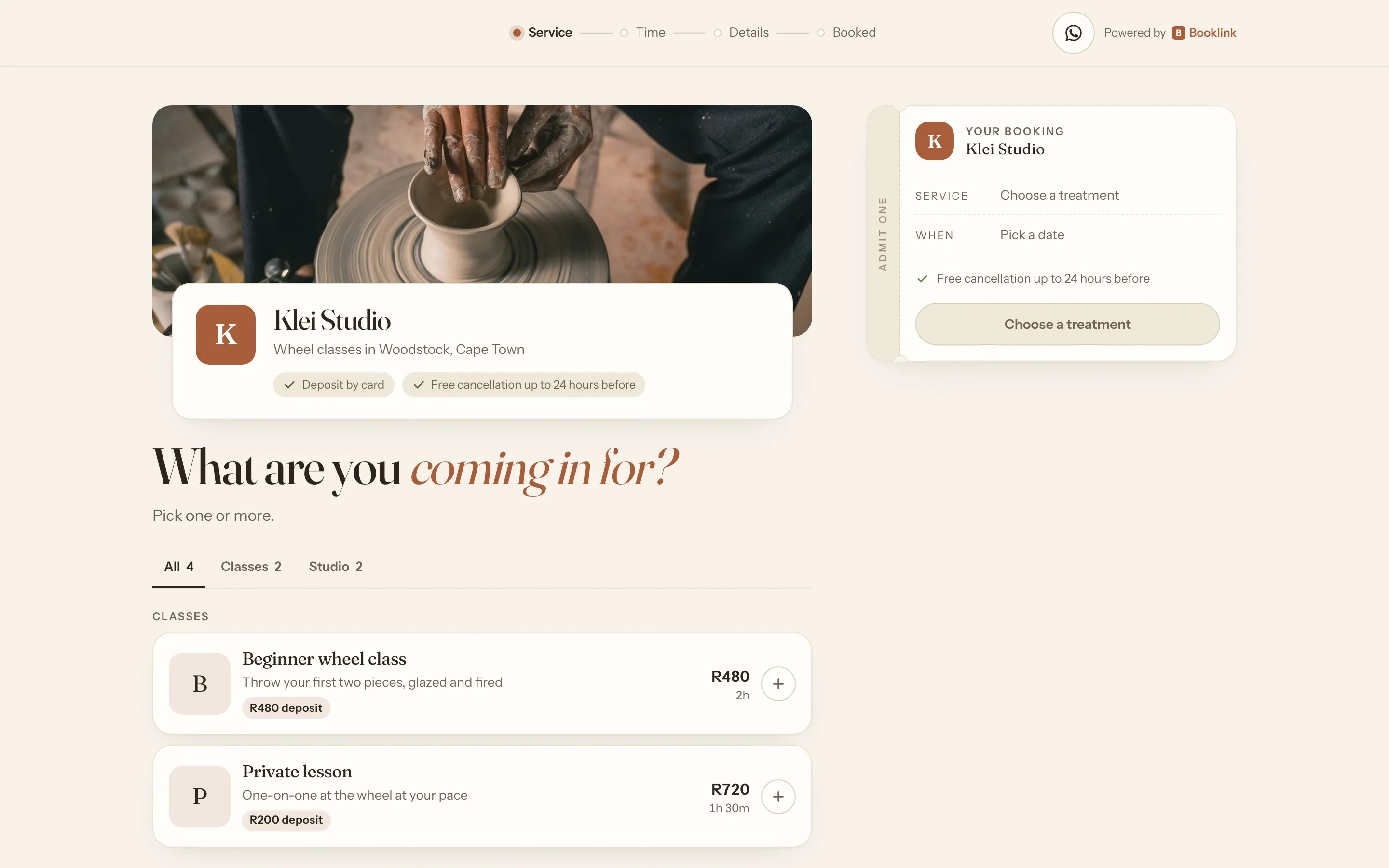
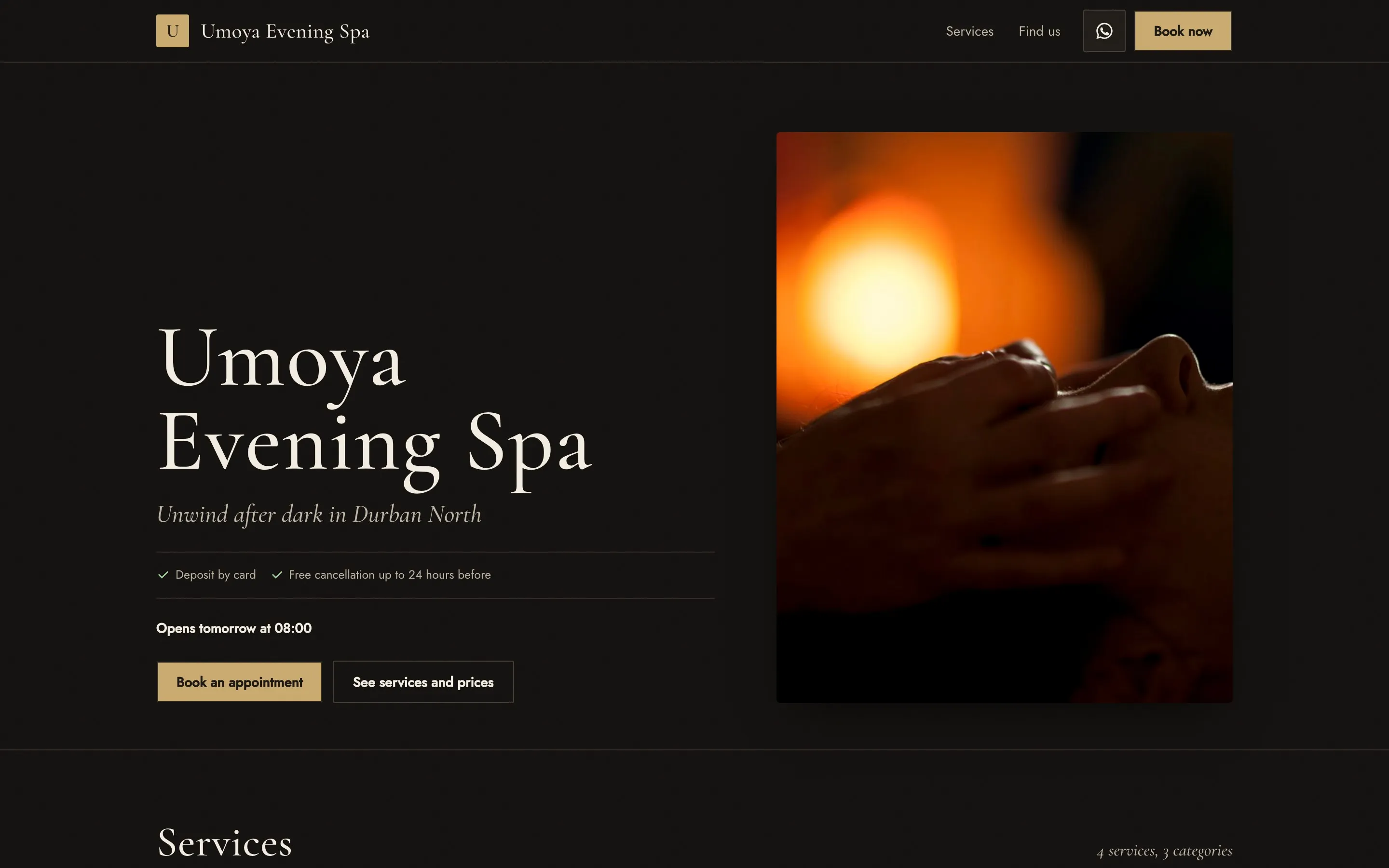
Editorial. Ivory and ink with hairline rules and a serif at size, made for good photos.
- commission on bookings, ever
- 0%
- to set up: services, team, availability, your link
- 10 min
- local gateways: Yoco, Paystack, PayFast, iKhokha
- 4
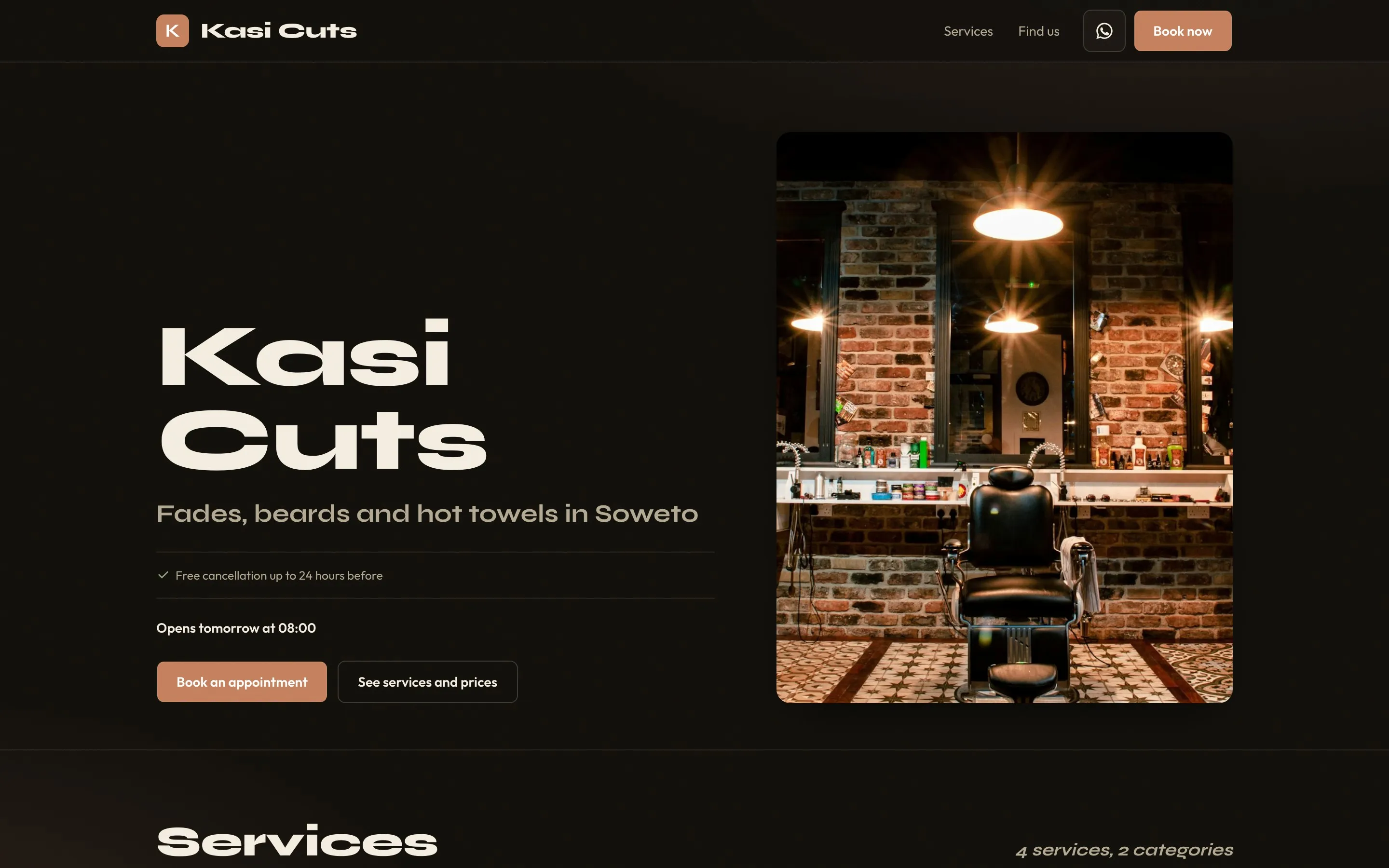
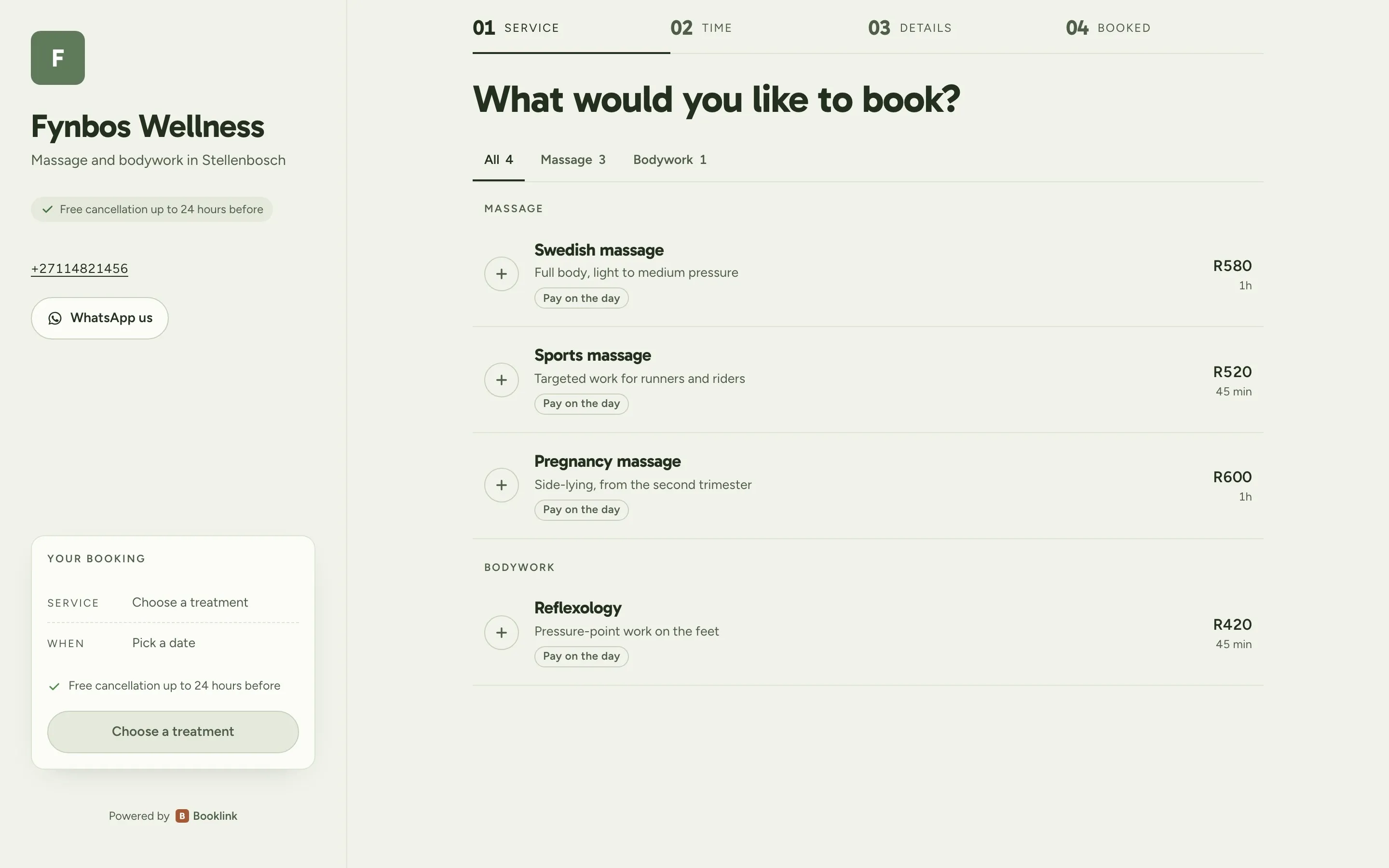
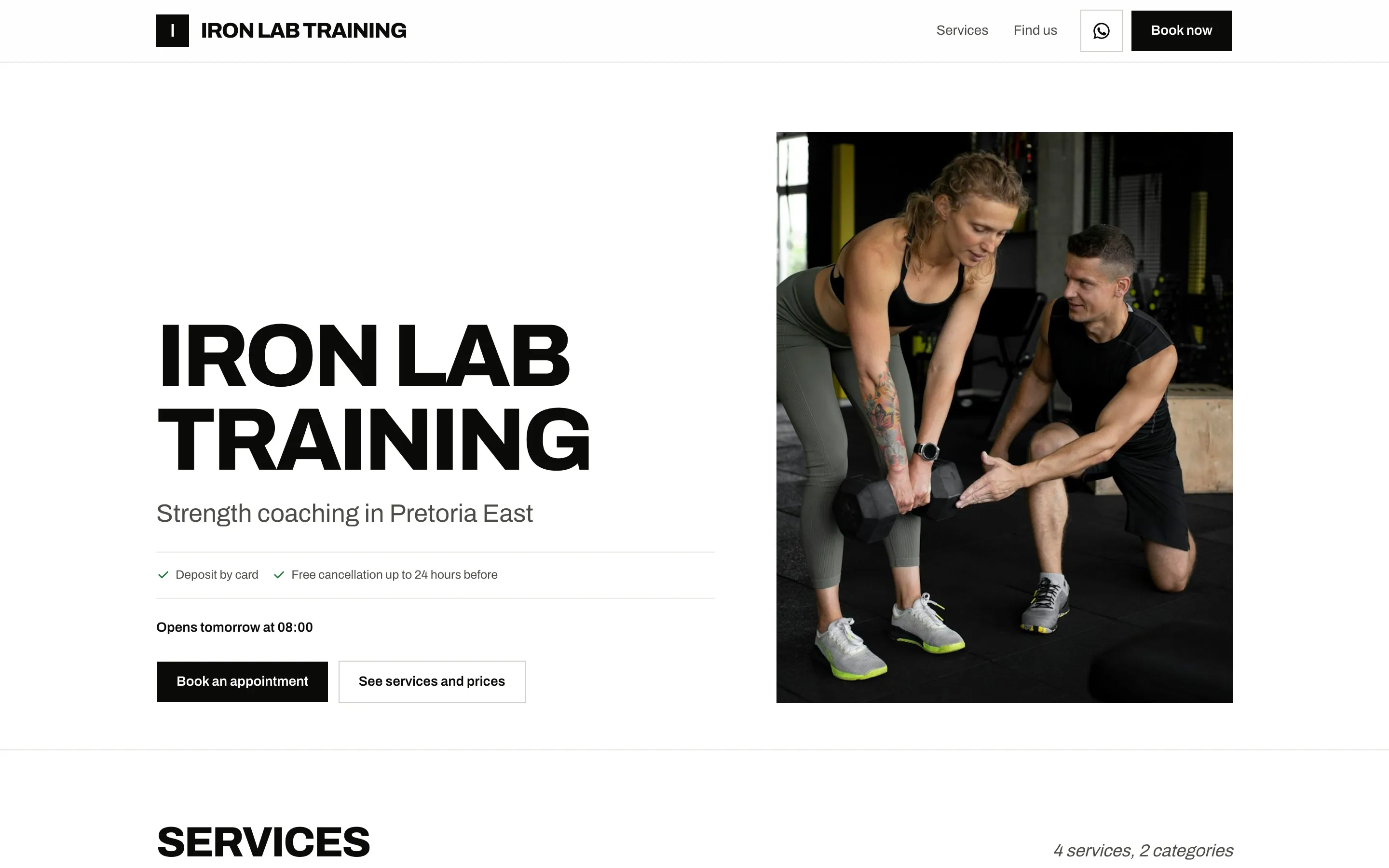
Three layouts
Choose how clients move through your page.
Every layout takes deposits, shows your prices and works on a phone. Switch any time; your link and bookings stay the same.
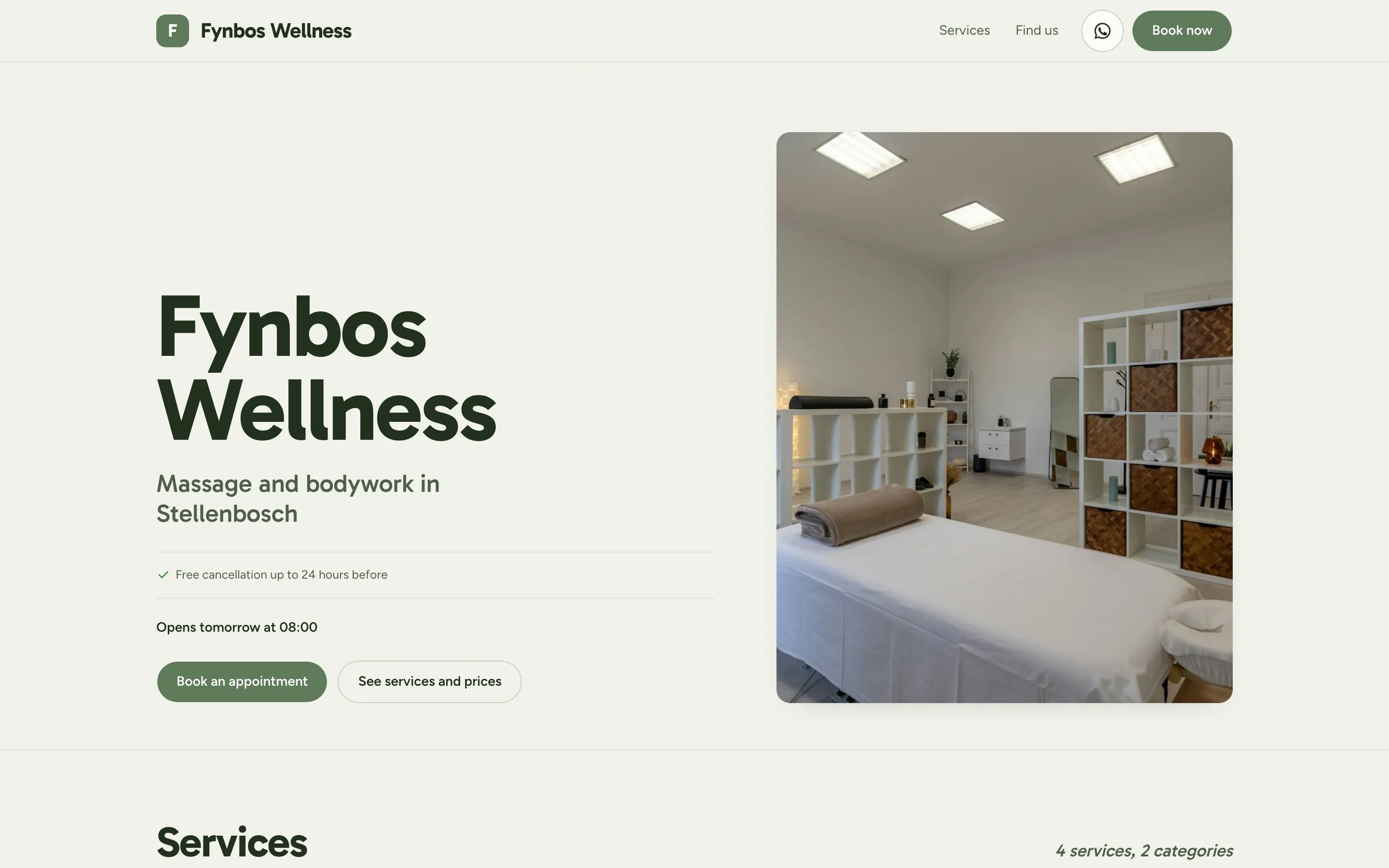
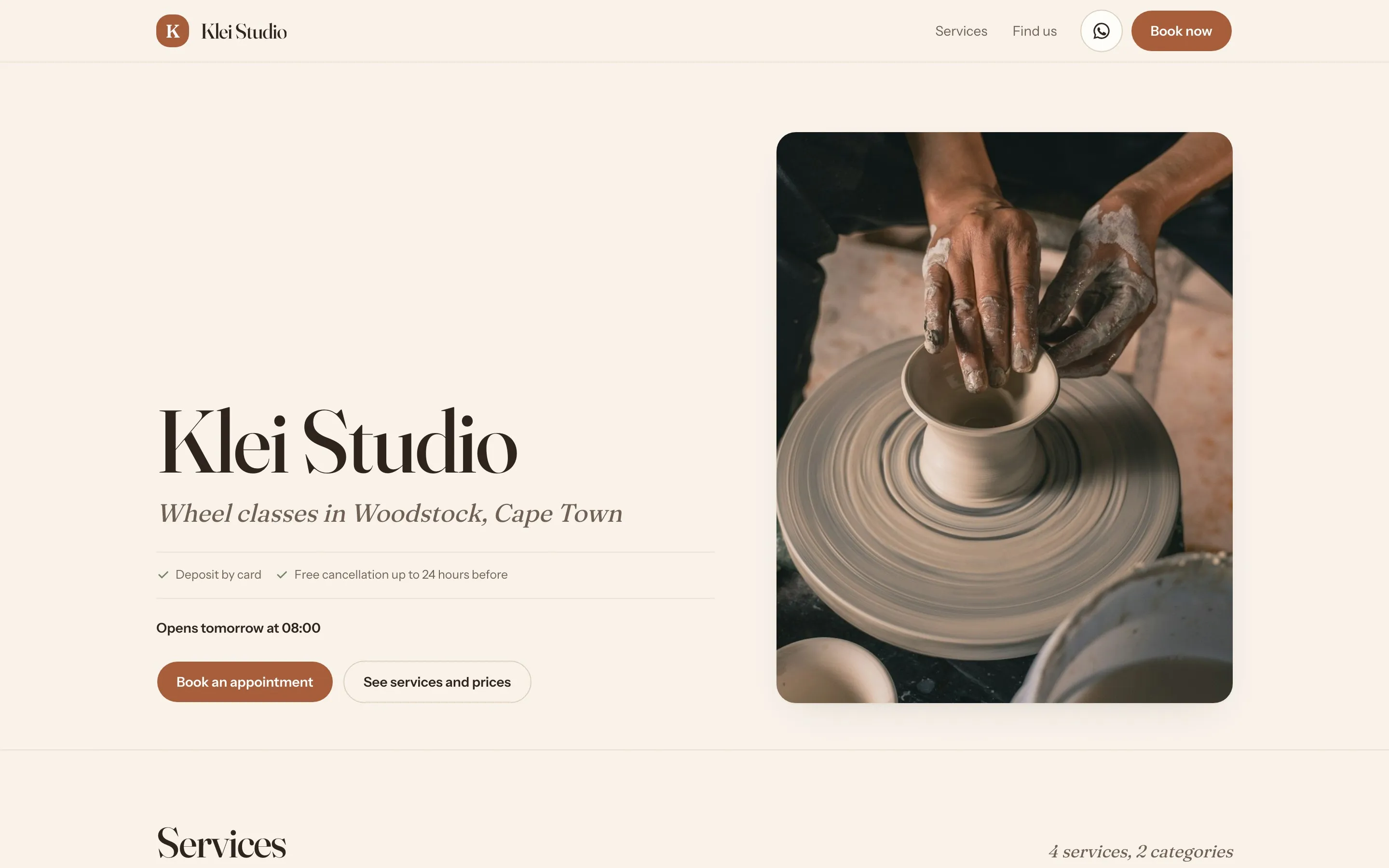
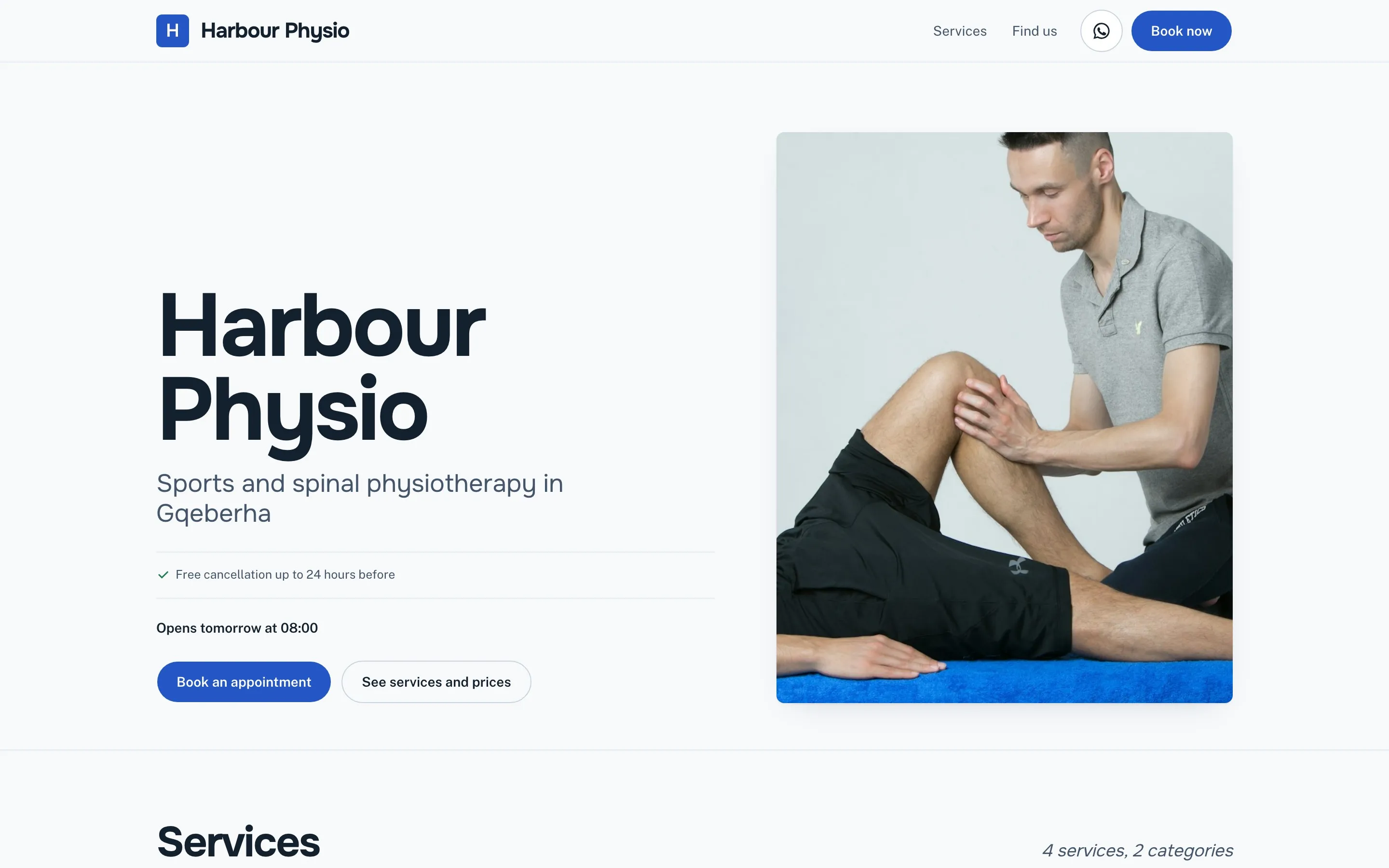
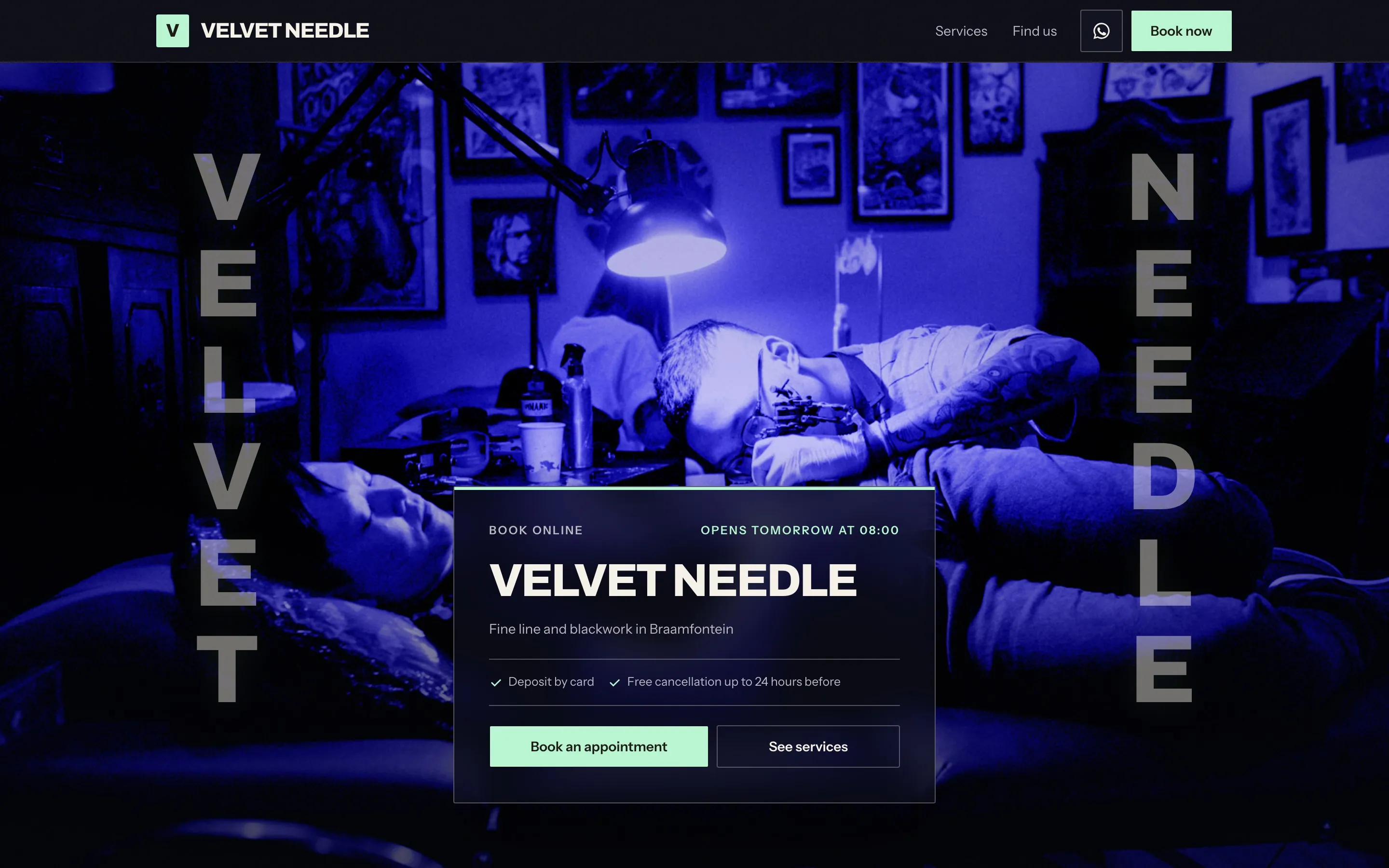
Eight themes
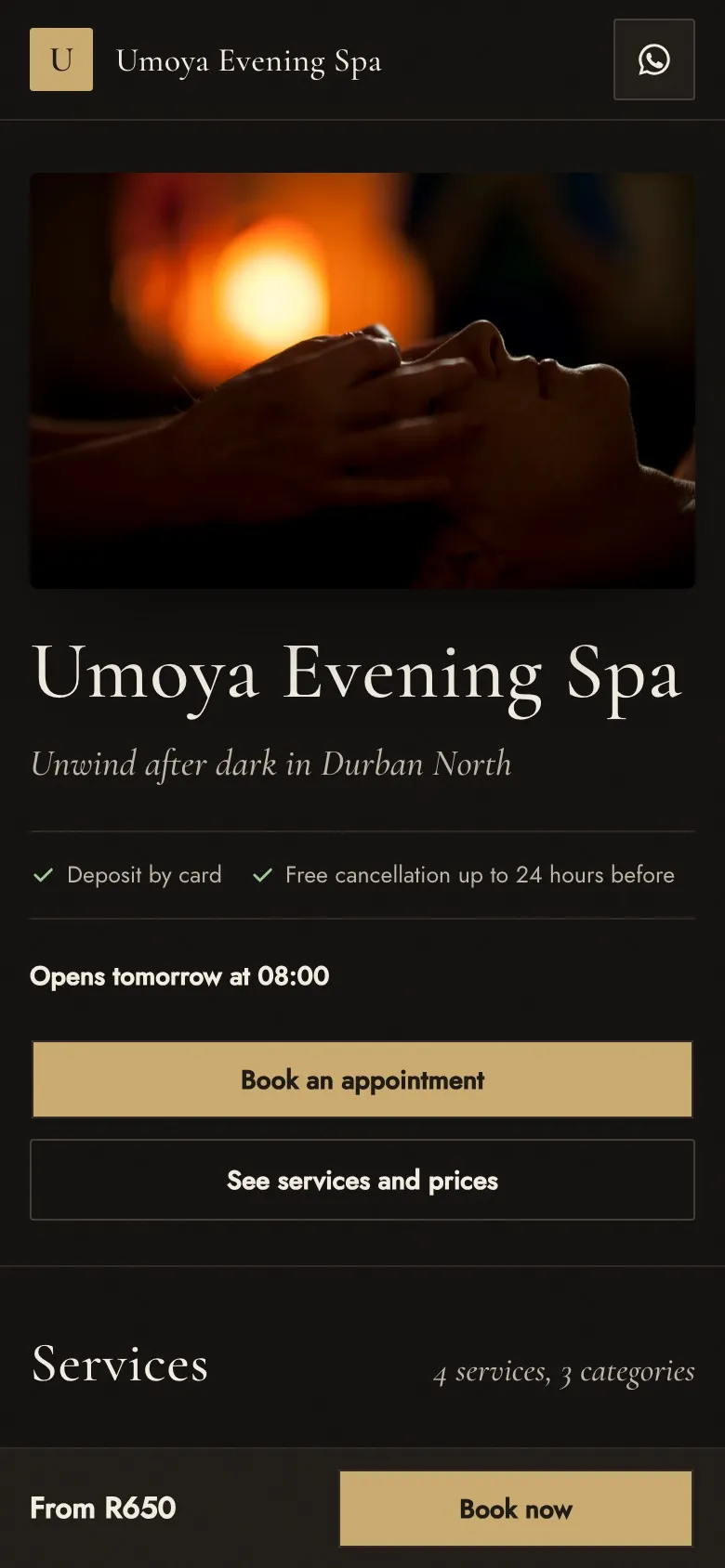
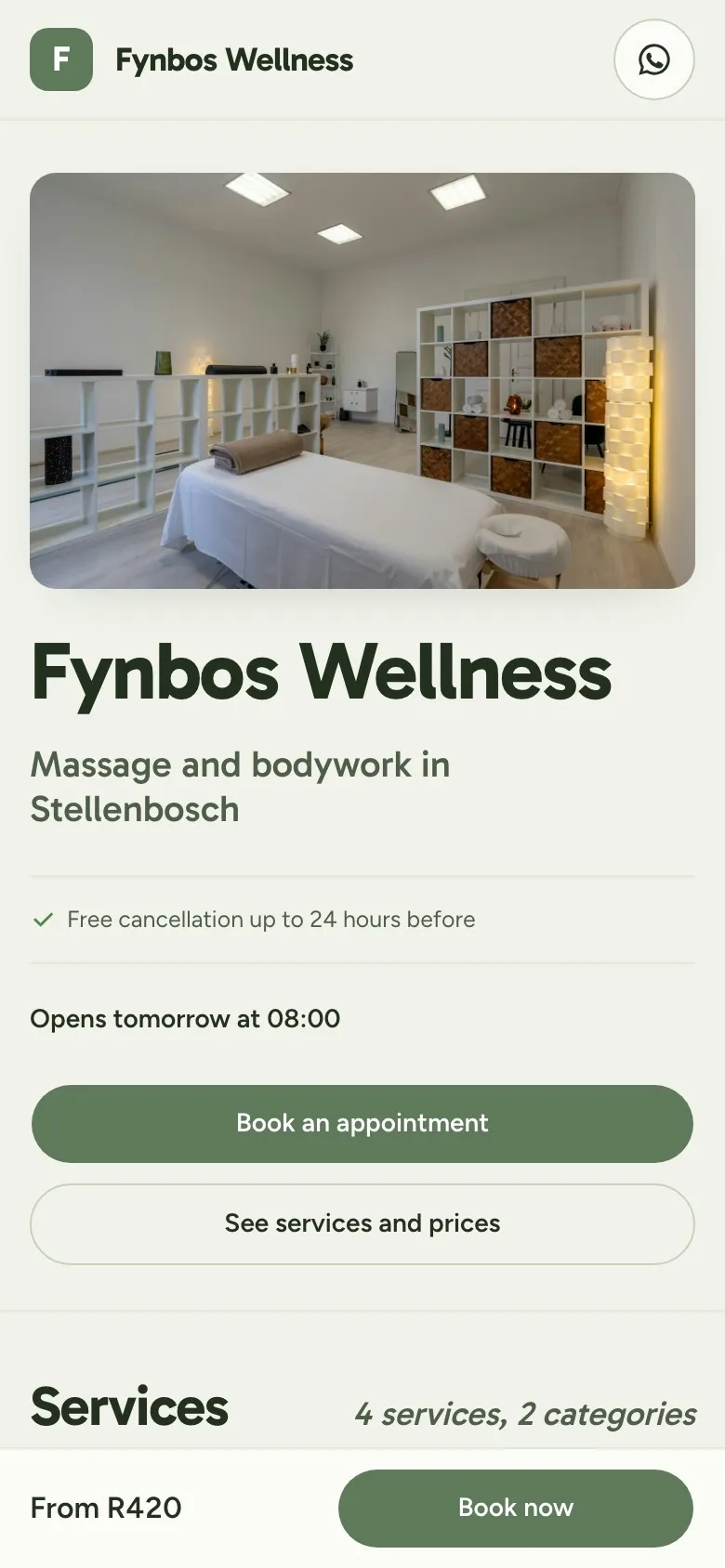
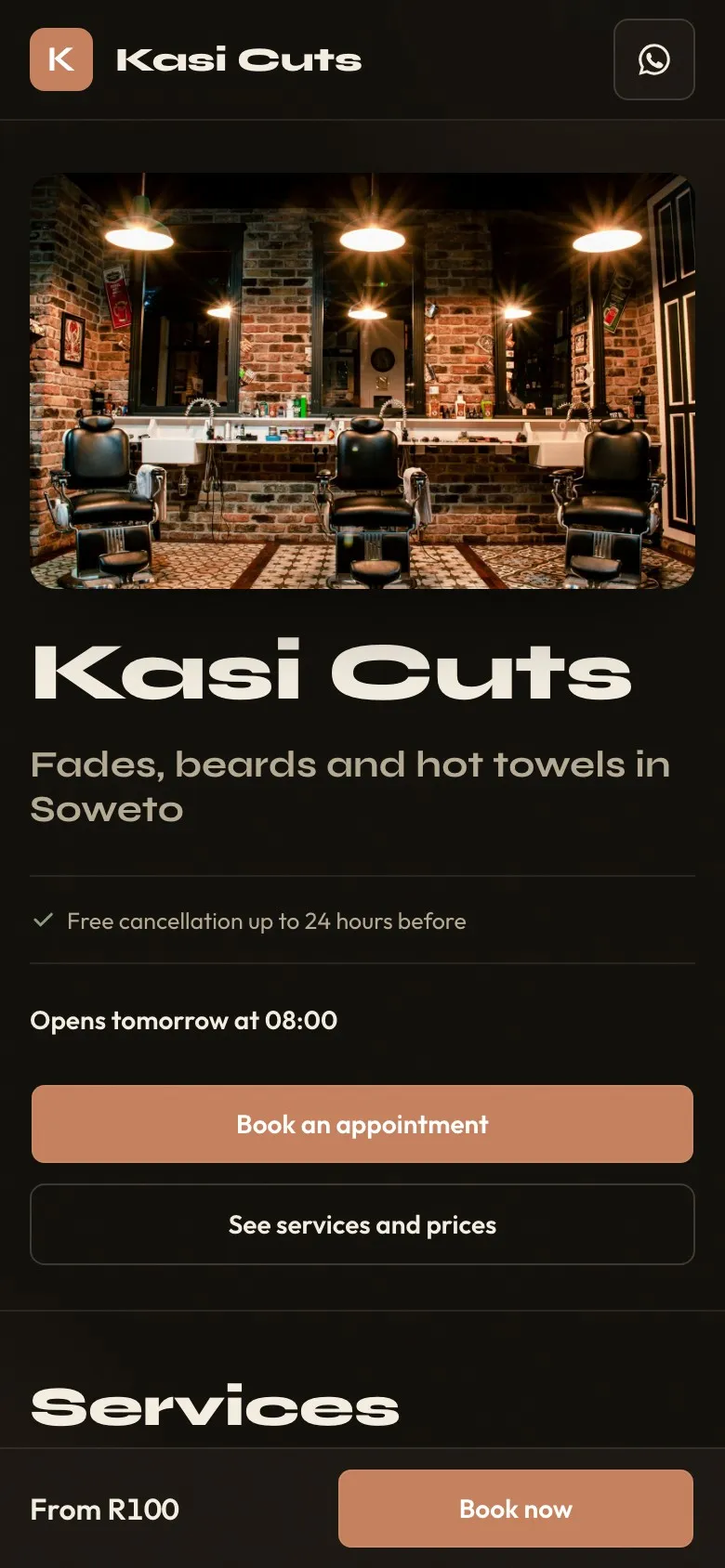
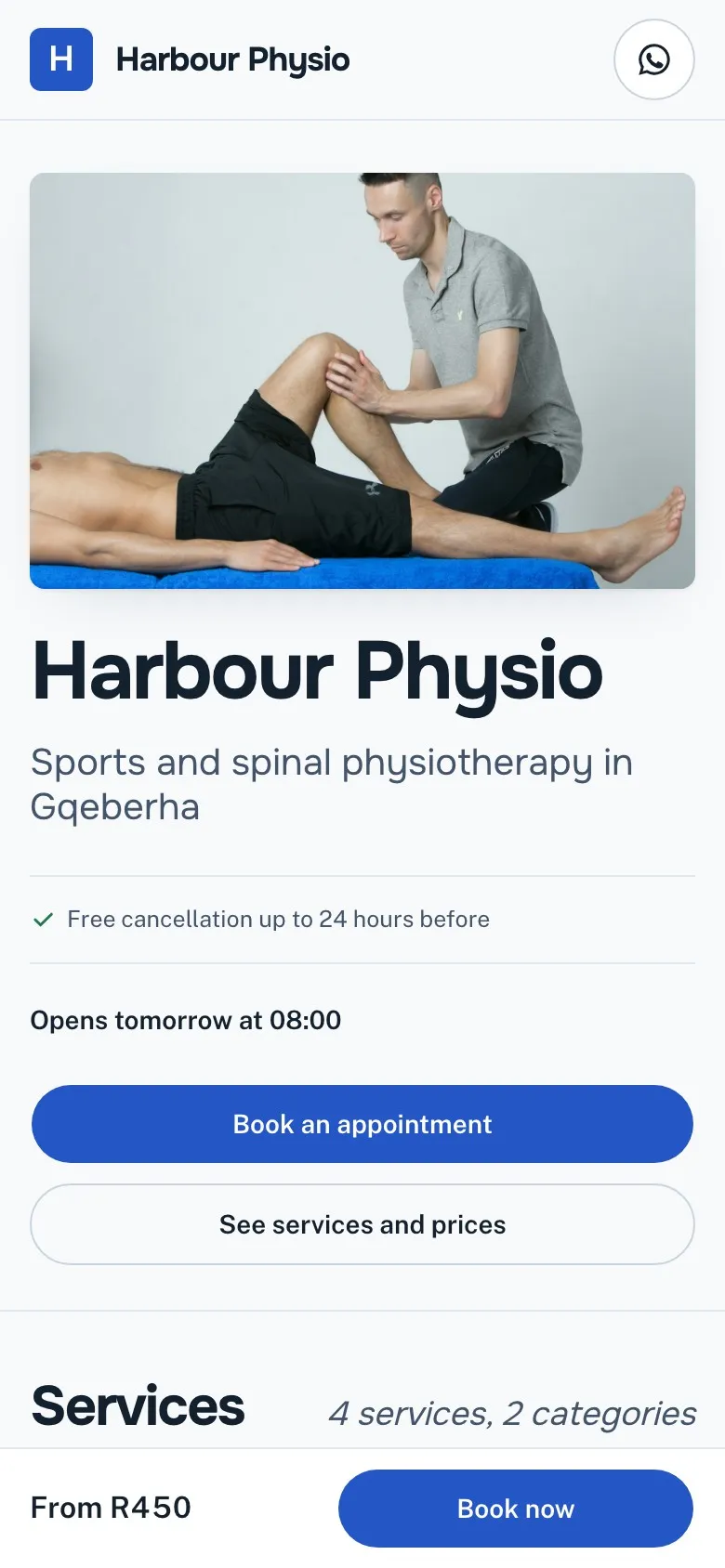
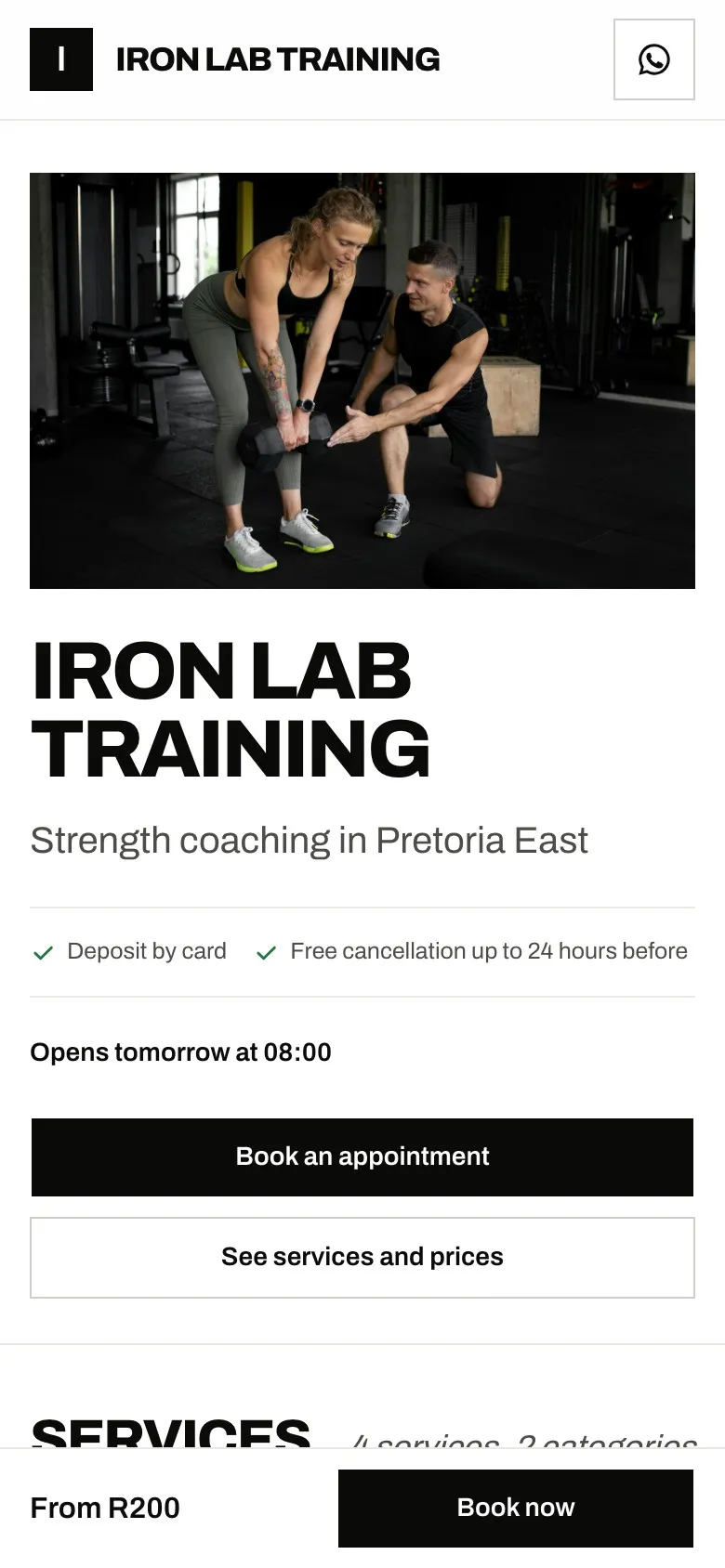
Same booking system. Eight first impressions.
Each theme carries your logo, brand colour and photos, with its own type and finish. Layouts and themes come with Pro at R79 a month; the free plan keeps the classic booking page.
Booked and paid in three steps.
- 1 Share your link WhatsApp status, Instagram bio, your Google Business Profile, a QR code at reception. Any QR code generator turns your link into a code you can print.
- 2 Client books and pays the deposit They pick a service, a person and a time. The slot is held only once your gateway confirms the payment.
- 3 Reminders go out on their own Email and WhatsApp before the appointment. Clients reschedule themselves inside your cancellation window.
What Booklink customers say
Rated 4.6 out of 5 14 reviews on Capterra (opens in a new tab) Showing 6 of 14 reviews

Rated 5 out of 5
"I absolutely love using Booklink for my business. It's affordable, easy to use, and best of all, it's LOCAL!"
Rated 5 out of 5
"Booklink has been an absolute game-changer for our dance academy! The platform is user-friendly, efficient and, most importantly, backed by exceptional personal support."
Rated 5 out of 5
"There were a few features that I would have preferred to see on the system when signing up, but as soon as I mentioned them to the Booklink team, they jumped in and added the features quickly and effectively."
Rated 5 out of 5
"It allows you to categorise the different services you offer with photos so it's easier for clients to select."
Rated 5 out of 5
"I switched from other platforms like Fresha and Calendly because they restricted my scheduling options to rigid one-hour blocks. I needed more flexibility to set custom appointment slots of 1 hour and 15 minutes, which allows me to provide a better, unhurried experience and deeper relaxation for my clients. Booklink gave me that exact freedom."
Rated 5 out of 5
"They covered all the things I needed for a very reasonable price and even accommodated a special request that I had which was included to their system by the following day."
On this page
01
What is Booklink?
Booklink is an online booking system for South African service providers, built by Tora Technologies (Pty) Ltd in Cape Town. Each business gets a shareable booking link where clients choose a service, a team member and a time, then pay a deposit or the full amount through Yoco, Paystack, PayFast or iKhokha. Bookings sync to Google Calendar, clients get WhatsApp and email reminders, and on Pro the owner can get a WhatsApp alert when a client books.
It is not a marketplace. Clients find you through your own link, Instagram, WhatsApp or Google Business Profile, and stay your clients. Booklink does not list you next to competitors or charge commission for the introduction.
Reviewed 2 September 2026 by Nico Huysamen, Founder & Director, Tora Technologies.
02
What does Booklink cost?
Booklink has two plans. Free costs R0 forever and includes one service, one team member and 30 bookings a month. Pro costs R79 a month and includes unlimited services and bookings, up to five team members, booking page layouts and themes, online payments and bank transfer bookings, coupon codes, service areas, WhatsApp reminders and Google Calendar sync. Neither plan charges commission on bookings.
1 service, 1 team member, 30 bookings a month, branded booking page you can embed on your website, classes, email confirmations. No card required.
Start free →Unlimited services and bookings, up to 5 team members, three booking page layouts and eight themes, deposits via Yoco, Paystack, PayFast or iKhokha, bank transfer bookings, coupon codes, service areas, WhatsApp reminders, Google Calendar and Meet, packages, multi-service bookings, reports. Cancel any time.
Compare plans →Card processing fees are charged by your gateway, not by Booklink. More than five team members? Email [email protected] for a custom plan.
03
How do deposits stop no-shows?
You mark which services need a deposit, or switch on full payment at booking. A client cannot hold a slot until the payment clears through your own Yoco, Paystack, PayFast or iKhokha account. A client who has paid R150 towards a R450 gel set shows up. Booklink adds no commission on top of your gateway fee.
- 1
Client picks a slot. Availability comes from your working hours, buffers, minimum notice and everyone's Google Calendar.
- 2
Client pays the deposit. Card, EFT, SnapScan or whatever your gateway supports. The slot is held only once the gateway confirms.
- 3
Reminders go out. Up to three email reminders and a WhatsApp reminder before the appointment. Clients can reschedule themselves inside your cancellation window.
04
What can I take bookings for?
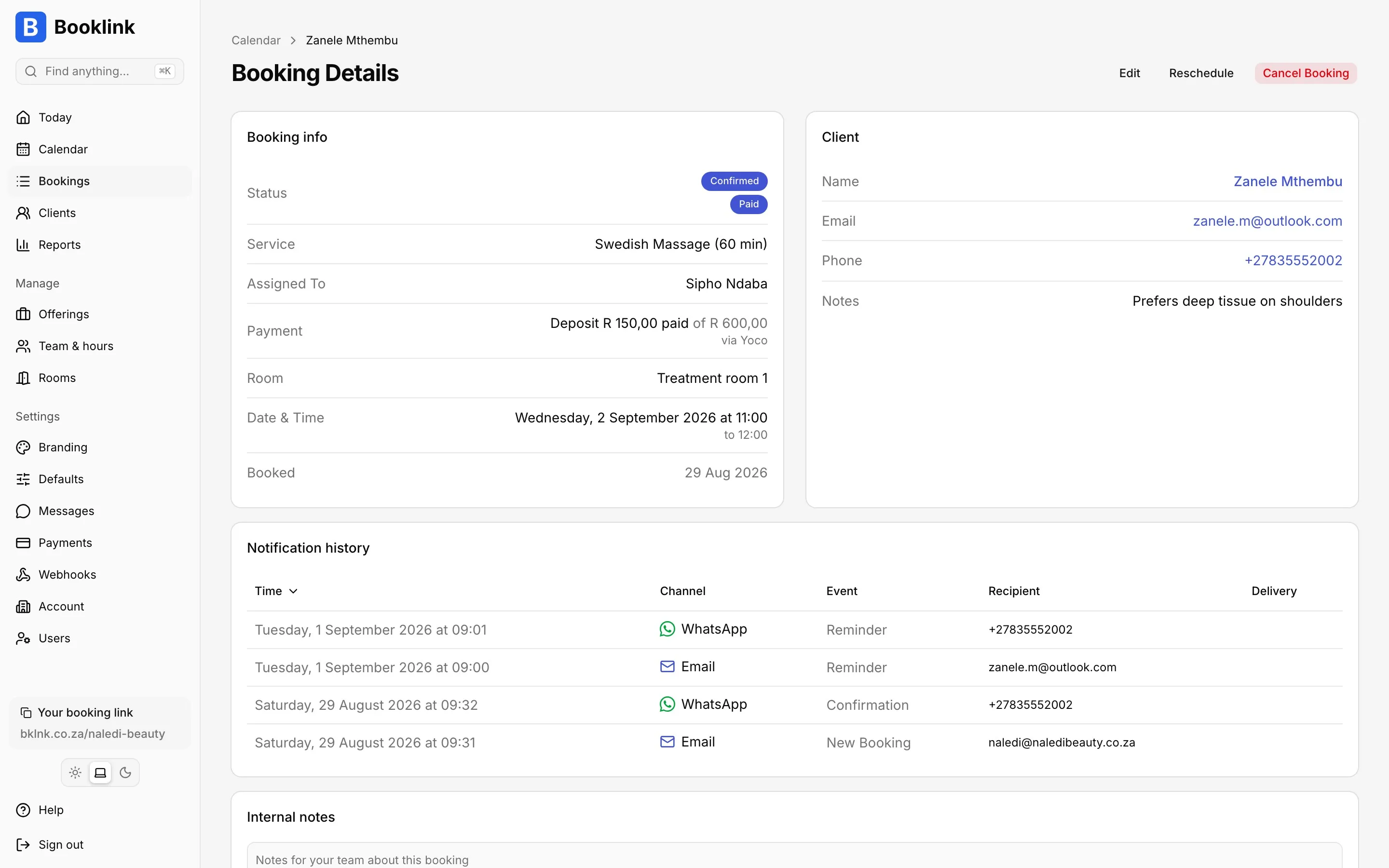
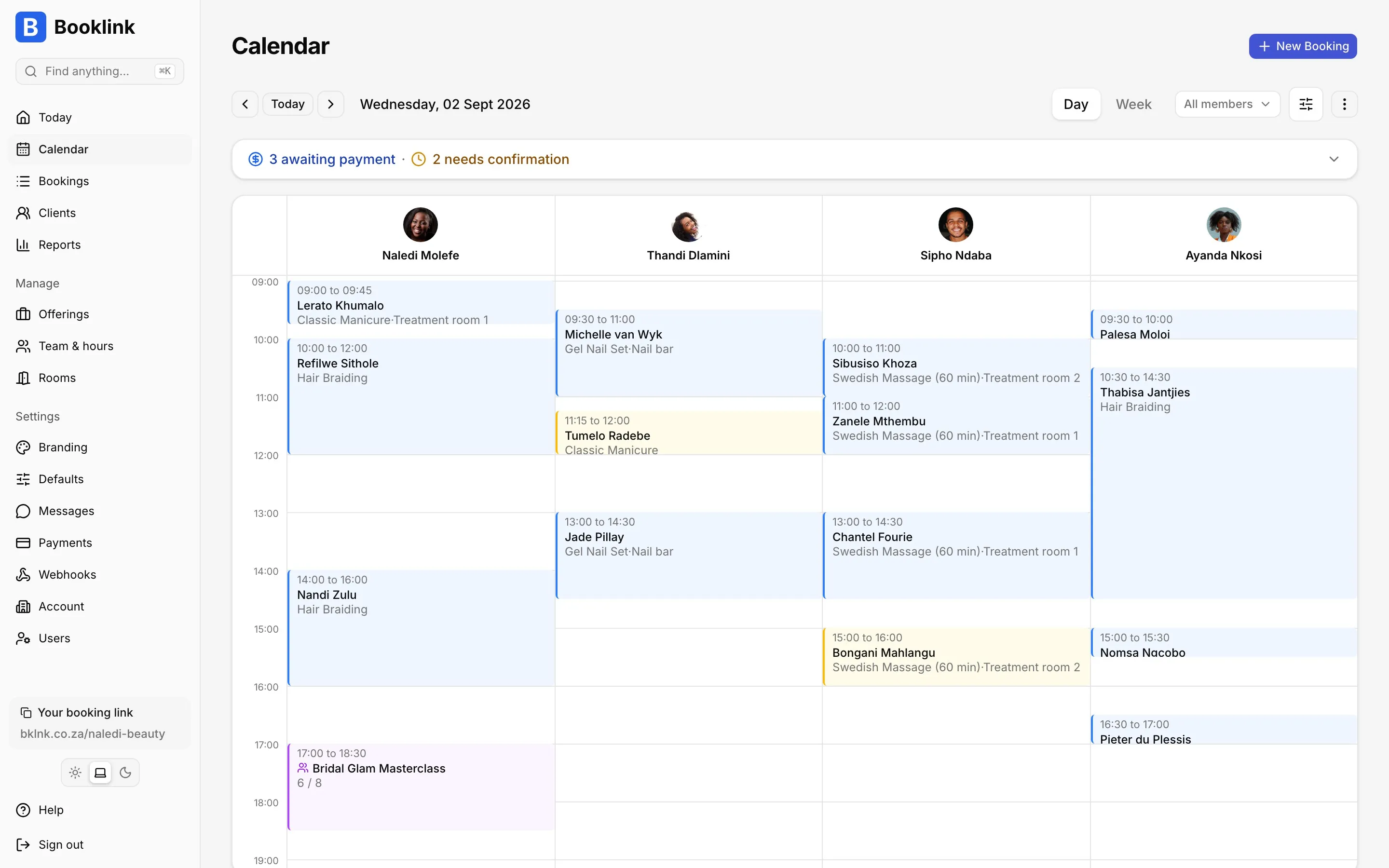
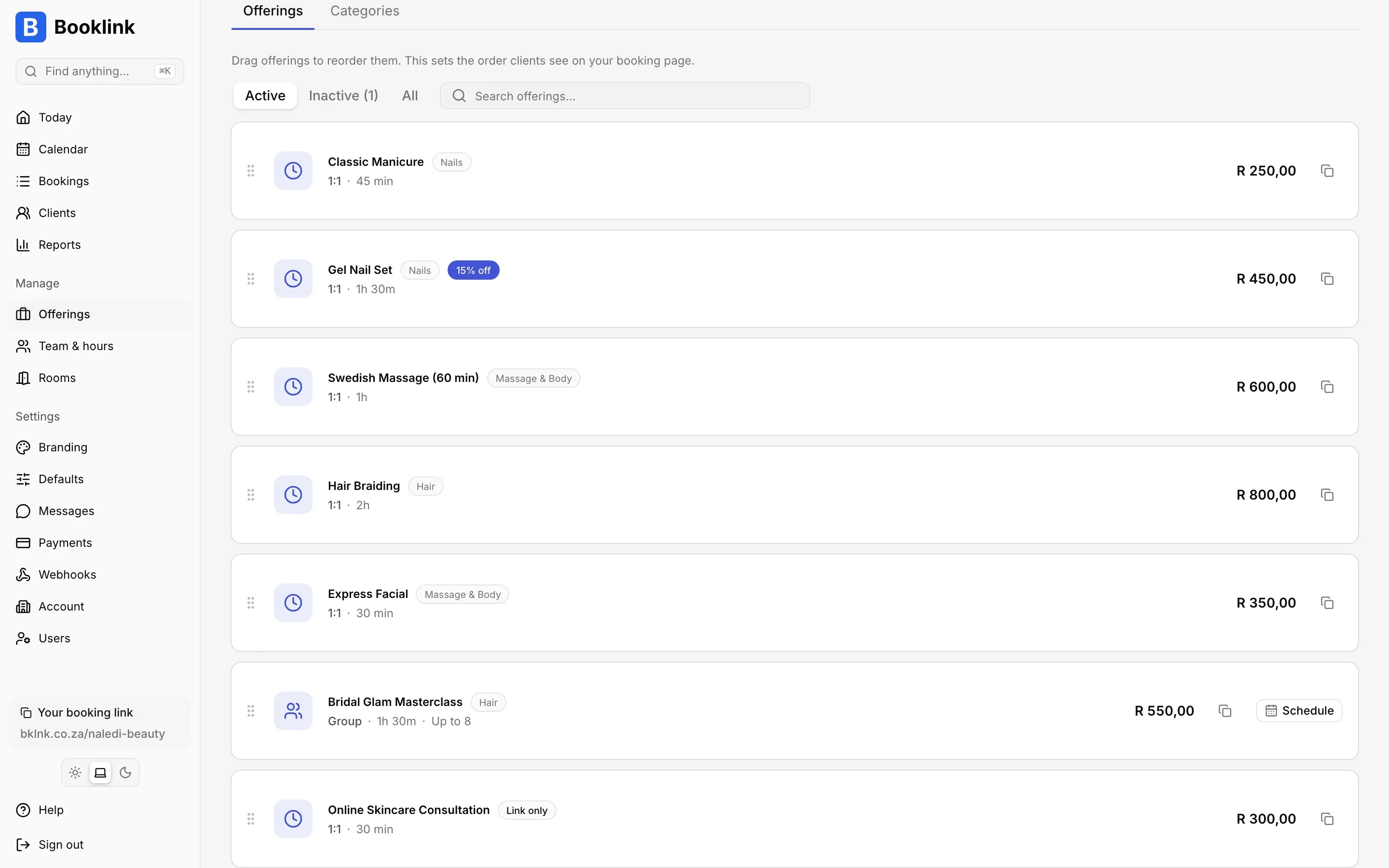
One-on-one appointments at your place, online or at the client's address, classes and events of up to 14 days with a capacity and waitlist, session packages a client buys once and redeems over time, and multi-service visits like a cut, colour and blow-dry in one booking. Services can have variants such as 30 or 60 minutes, be tied to a treatment room, and be assigned to specific team members with their own prices.
- Team members
- Up to five people, each with their own hours, services, prices, photo and Google Calendar. Let clients choose a person or auto-assign whoever is free.
- Rooms
- Assign services to treatment rooms or chairs so two bookings never claim the same space, even across team members.
- Classes and groups
- Set a capacity per session. Multi-seat bookings for friends. Automatic waitlist when a class fills.
- Session packages
- Sell 5 or 10 sessions upfront. Clients redeem from the package when they book.
- Variants
- One service, several durations or options, each with its own price.
- Multi-service bookings
- Several services in one booking. Booklink finds a slot that fits the combined time, takes one deposit, sends one confirmation.
- Google Calendar and Meet
- Two-way sync per team member, with existing bookings added in one click. Online services get a Meet link automatically when booking sync is on.
- WhatsApp and email
- Confirmations, reminders and cancellations to clients. New-booking alerts to you on WhatsApp.
- Reports and commissions
- Daily, monthly and per-member reports. Commission and payout tracking for salons that pay staff on takings.
- Coupon codes
- A percentage or rand amount off, limited by offering, dates and uses. Clients type the code at checkout; you see every use in your reports.
- Service areas
- For cleaners, mobile groomers and therapists. Pick the suburbs you travel to and who covers them, and clients only see times for people who go there.
- Website embed and tracking
- Your booking page inline on your own website or behind a Book now button, with GA4 and Google Ads conversions on Pro.
- Webhooks and Rebill
- Push every booking to your own systems, or connect Rebill to invoice each booking automatically.
05
Who is Booklink for?
Any South African business whose clients book time: hair salons, barbers, beauty and massage therapists, personal trainers, photographers, tutors, consultants, cleaning services and driving instructors. It is built for a solo operator or a team of up to five, not for a franchise with fifty chairs.
06
How does Booklink compare to Fresha, Booksy and Calendly?
Fresha and Booksy are marketplaces that list your business next to competitors. Calendly schedules meetings and is not built around South African payment gateways. Booklink is a private booking page with Yoco, Paystack, PayFast and iKhokha, WhatsApp reminders and a flat R79 price with no commission.
| Question | Booklink | Fresha | Booksy | Calendly |
|---|---|---|---|---|
| Commission on bookings | 0% | One-time fee on new marketplace clients | Marketplace model | 0% |
| Monthly price | R0 or R79 | From R134.95/mo solo | R399/mo + R89 per extra staff member | Free, or $10/seat/mo |
| South African gateways | Yoco, Paystack, PayFast, iKhokha | None | None | Stripe, PayPal |
| WhatsApp reminders | Yes | No | No | No |
| Marketplace listing | No, your link only | Yes | Yes | No |
Competitor figures checked September 2026, with details and sources on each comparison page: Fresha, Booksy, Calendly, Acuity, Setmore, SimplyBook.me, Square Appointments, Vagaro, Setster, Timely.
07
Is client data safe under POPIA?
Yes. Client names, email addresses and phone numbers are each encrypted with AES-256 before they are stored, using a key unique to your account. Card details never touch Booklink; they go straight to your PCI-DSS gateway. Data is served over TLS and you can delete a client, or your whole account, yourself.
The full model is on the security page. Under POPIA the account holder is the responsible party and Booklink is the operator.
08
Who builds Booklink?
Booklink is built and operated by Tora Technologies (Pty) Ltd, an independent South African software company registered in Cape Town (CIPC 2025/583656/07) and founded by Nico Huysamen. Tora Technologies builds and runs its software itself rather than outsourcing the important parts, which keeps it close to its customers and lets it act on real needs quickly. Tora Technologies also builds Rebill, the invoicing app Booklink connects to, and Our Big Yes, a wedding website and RSVP platform.
More
What else do people ask?
How do clients find my booking link?
You share it. WhatsApp status, Instagram bio, the booking button on your Google Business Profile, a QR code at reception, your website. Any QR code generator turns your link into a code you can print.
Can clients cancel or reschedule themselves?
Yes, from the link in their confirmation, up to the cancellation deadline you set. You choose whether to ask for a reason.
Do I need a website?
No. The booking page is a full page at bklnk.co.za/your-business with your name, welcome message, address, services and photos.
What if I have more than five staff?
Email [email protected]. Larger teams are set up by hand on a custom plan.
Your next client could book while you read this.
Free plan. No card. No commission. Ten minutes to set up.
Start freeLast reviewed: . Reviewed by Nico Huysamen, Founder & Director, Tora Technologies. Cape Town, South Africa.