Take deposits at booking time
No-shows cost South African service businesses thousands each month. Collect a deposit or full upfront payment through Yoco, Paystack, PayFast, or iKhokha when clients book, so you only block your diary for clients who are committed.
Pro plan from R79/month. Payment gateway fees apply separately.
Built for South African payment rails
Four local gateways, card and EFT support, ZAR-first. No foreign exchange fees or international processors.
Yoco
Connect your Yoco account and collect card payments at the moment a client books. Same rails you already trust in-store.
Paystack
Lower per-transaction fees on scale. Great for consultants and professional services with higher-value bookings.
PayFast
Broad payment methods including card, EFT, Masterpass, and Zapper. Widely trusted by South African consumers.
iKhokha
Already swipe with an iKhokha machine? Connect the same account and clients pay online through a secure iKhokha paylink when they book.
Deposit or full payment
Set a deposit per service. Switch on the full payment option and clients can choose to pay everything at booking instead.
PCI-DSS handled
Booklink never stores card details. Clients pay directly on your gateway's PCI-DSS compliant page, then return to the confirmation screen.
Auto-confirm on payment
Bookings are held pending payment, then auto-confirmed once the gateway reports success. No manual chasing, no double-bookings.
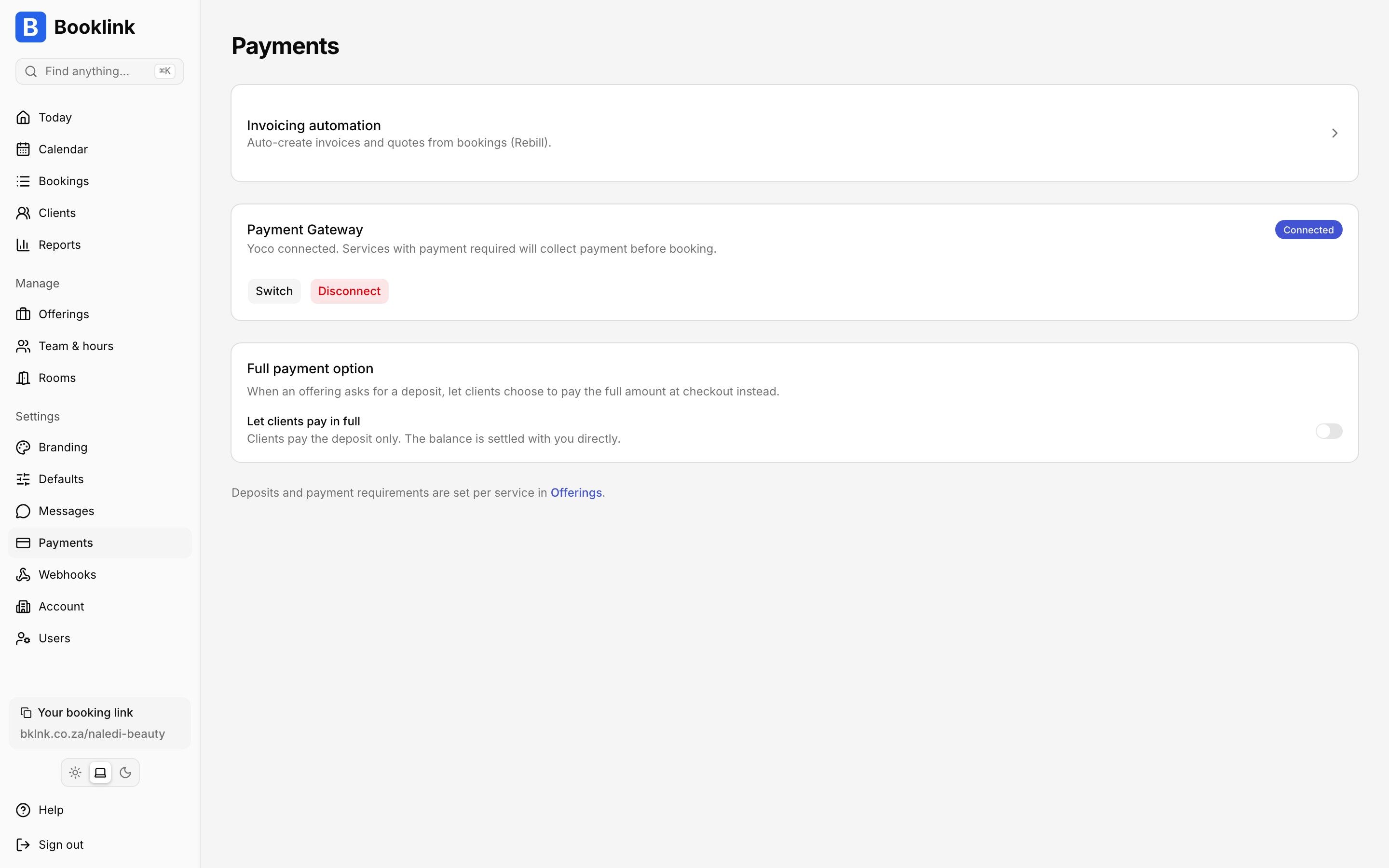
Connect Yoco, Paystack, PayFast, or iKhokha in a few clicks. Deposits are auto-confirmed on success.
In one paragraph
How do deposit payments work in Booklink?
When a Pro plan Booklink account enables deposits on a service, the booking flow on the public booking page adds a payment step. The client picks the service, team member, and time slot, enters their contact details, and is redirected to their chosen gateway (Yoco, Paystack, PayFast, or iKhokha) to pay either the deposit amount or the full service price in ZAR. Once the gateway reports the payment as successful, Booklink auto-confirms the booking, writes it to the provider's Google Calendar, and sends the client their confirmation email. If the client abandons payment, the time slot is released for someone else. When multi-service bookings are enabled, the deposits of all selected services are combined into a single payment. Booklink never stores card details. All card data stays on the gateway's PCI-DSS compliant infrastructure. Gateway fees are paid directly to Yoco, Paystack, PayFast, or iKhokha, and Booklink does not take a commission on bookings.
Frequently asked questions
Does Booklink take a commission on bookings?
Which gateway has the lowest fees?
Can I require a deposit on some services and not others?
What happens if a client cancels after paying?
Explore more Booklink features
New to online booking? Read the full online booking guide for South African businesses.
Stop losing revenue to no-shows
Pro plan from R79/month. Start free, upgrade whenever deposits make sense for your business.
Create your free account