Your shareable booking page
A branded booking page at your own Booklink URL. Drop it in WhatsApp, Instagram bio, email signature, or on your website. Clients pick a service, time, and book in seconds.
Free plan available. Pro from R79/month.
Everything your booking page does
Built to convert browsers into confirmed bookings, on the channel South Africans actually use.
Your own URL
Choose your own slug - for example, bklnk.co.za/your-business. Share it anywhere a client might want to book.
Custom branding
Add your logo, tagline, and cover image. Your booking page looks like a natural extension of your business, not a generic template.
Mobile-first design
Most South African clients open booking links on mobile. The page is optimised for small screens, one-thumb scrolling, and fast loads.
No login required
Clients book without signing up, downloading an app, or creating a password. Lower friction means more completed bookings.
Services and pricing shown
Each service shows duration, price in ZAR, and a description. Clients pick what they want without a phone call or back-and-forth.
Open 24/7
Clients book after hours, over weekends, or while you are with another client. Your booking page never sleeps.
Service categories
Group services into categories like Cuts, Colour, and Treatments. Clients filter your page with a tap, and every service gets its own shareable booking link.
Custom booking questions
Ask what you need to know before the appointment. Add text, number, dropdown, or checkbox questions per service, and the answers arrive with every booking.
Your colours and fonts (Pro)
Pick a brand colour, background, and card colour, and choose a serif or sans display font. Pro accounts can also show their email, phone number, and website on the page.
Welcome message, address and photos
A short welcome note at the top, your business address, and image galleries on services and packages. Add your link to your Google Business Profile so clients book from Maps.
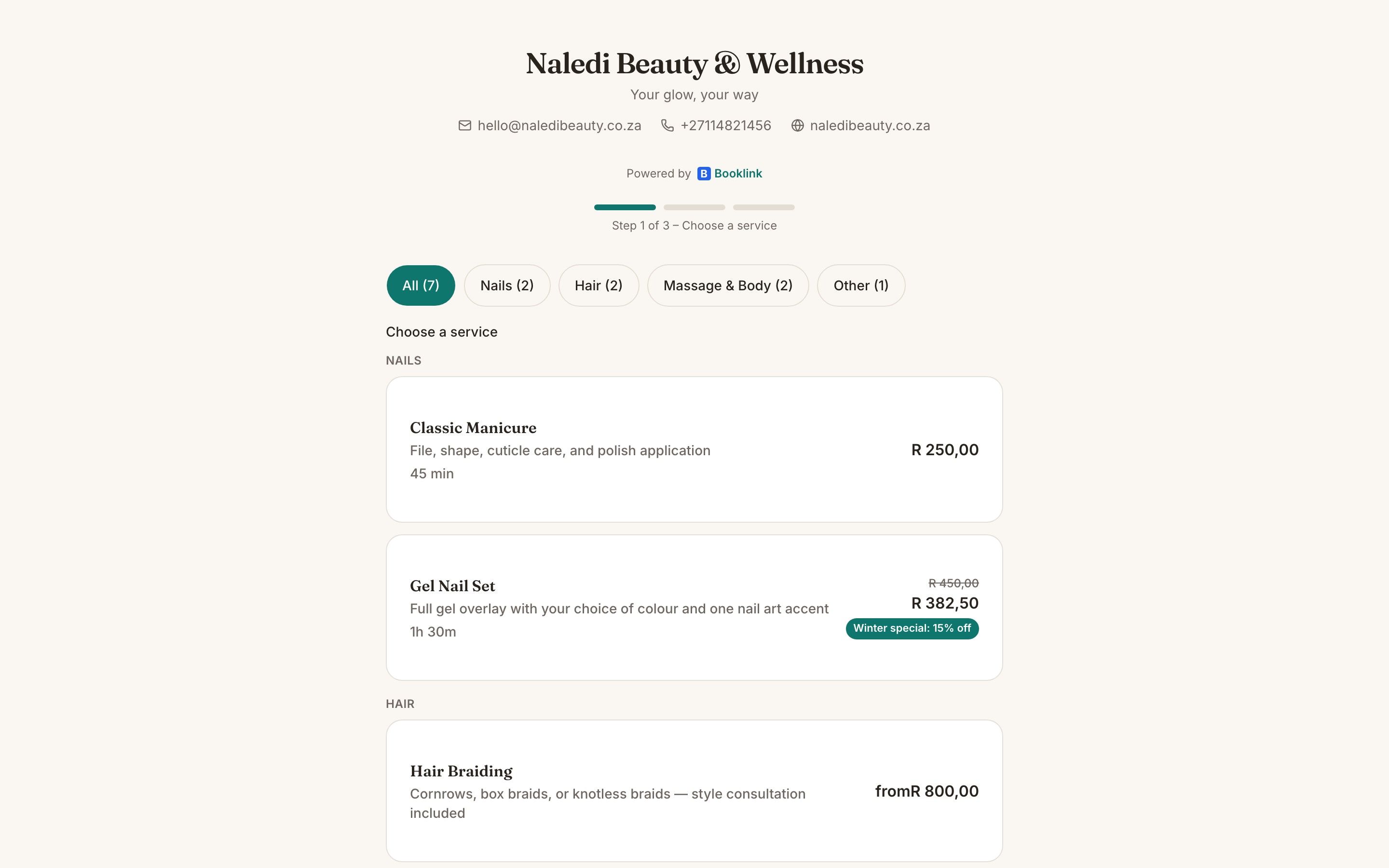
Your branded booking page - mobile-first, with services, prices and durations in ZAR.
In one paragraph
What is a Booklink booking page?
A Booklink booking page is a mobile-first, branded URL that South African service providers share with clients so they can self-book appointments 24/7. Each booking page shows the business's logo and tagline, the services they offer with ZAR pricing and duration, the team members (if relevant), and real-time availability drawn from the provider's connected Google Calendar. Services can be grouped into categories that clients filter with a pill bar, and every service has its own deep link you can share directly. Providers can attach custom questions (text, number, dropdown, or checkbox) to any service, and the answers arrive with the booking. Clients select a service, a team member, a time slot, enter their contact details, and confirm - all without needing to log in or download an app. The booking page is designed to work flawlessly on mobile, which is how most South African clients access it, whether they tapped the link from WhatsApp, Instagram, or a Google search. Pro plan providers can also style the page with their own brand colour, background and card colours, and a serif or sans display font, show their business email, phone number, and website, and collect deposits at booking time via Yoco, Paystack, PayFast, or iKhokha, dramatically reducing no-shows.
Frequently asked questions
Can I choose my own booking page URL?
Do clients need an account to book?
Can I embed the booking page in my website?
Can I change the colours and fonts on my booking page?
Can clients see my contact details on the page?
Does the booking page work on mobile?
Explore more Booklink features
New to online booking? Read the full online booking guide for South African businesses.
Get your booking page live today
Free plan available. No credit card required. Takes under a minute.
Create your free account