Smart scheduling that works how you do
Set weekly working hours per team member, add buffer time, enforce minimum notice, and control how far ahead clients can book. Every detail of your diary, under your control.
Available on all plans.
Availability controls that actually fit service work
Rigid calendars break the moment real life happens. Booklink's scheduling flexes around you.
Weekly working hours
Set different hours for each day of the week, with multiple time windows per day - so you can take mornings or afternoons off when you need to.
Buffer between bookings
Add buffer time so you have space to clean up, travel, or catch your breath between appointments. No more back-to-back chaos.
Minimum notice period
Require clients to book at least a few hours or days in advance, so you are never caught off guard by same-day surprise bookings.
Booking window limits
Cap how far ahead clients can book - from 2 weeks to 6 months. Stops someone blocking your diary months in advance.
Custom slot intervals
Show slots every 15, 30, or 60 minutes depending on your service. Precise where you need it, flexible where you want it.
Blocked dates
Block public holidays, school holidays, or personal days off. The booking page hides those dates automatically.
Custom booking questions
Add questions per service, like hair length, vehicle type, or session goals. Text, number, dropdown, and checkbox fields, with answers delivered on every booking.
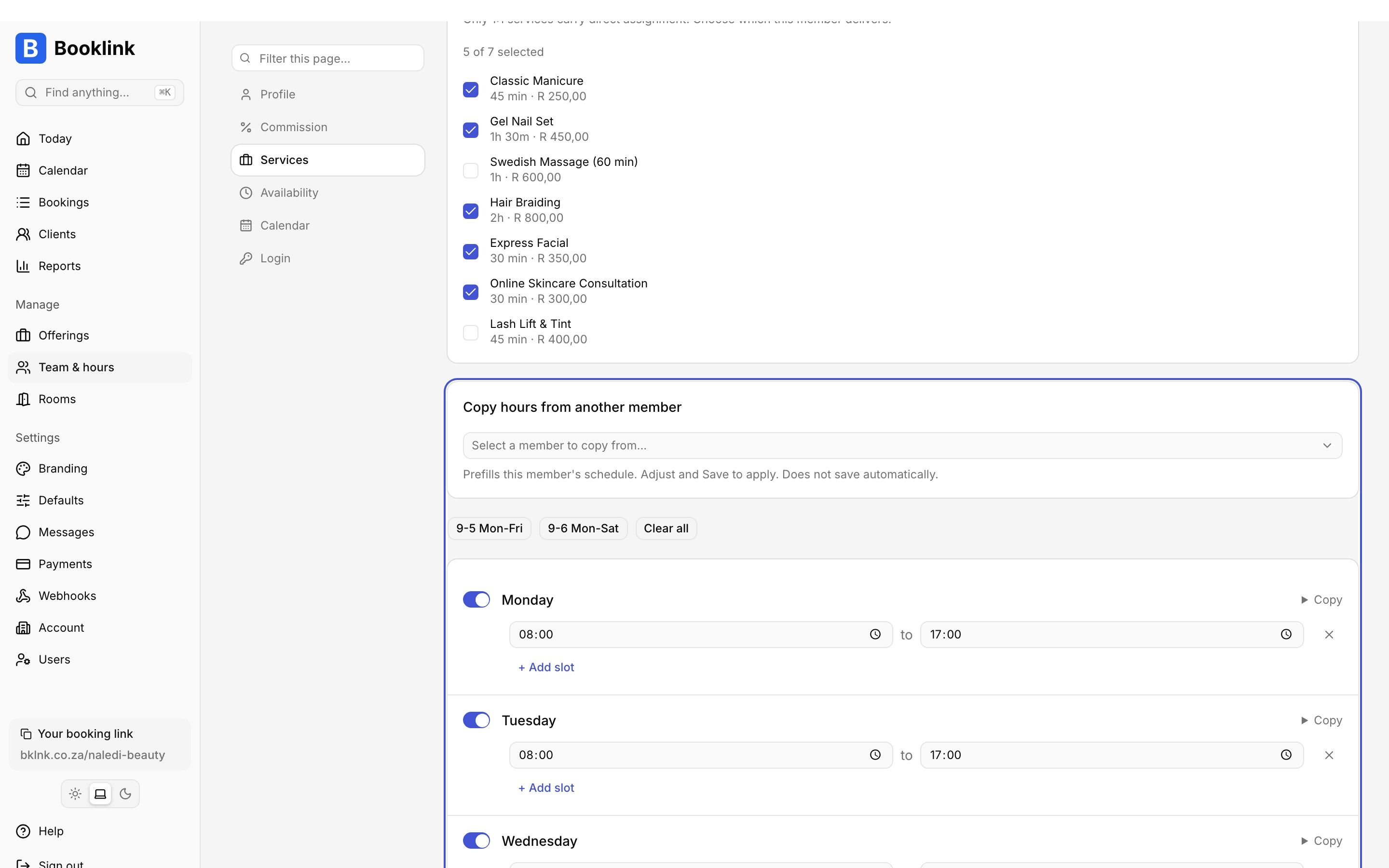
Set weekly working hours per team member with split shifts and day-off overrides.
In one paragraph
How does Booklink's scheduling work?
Booklink's scheduling engine is designed around how service businesses actually work, not the rigid 9-to-5 calendars used by generic scheduling tools. Each team member has their own weekly working hours with support for multiple time windows per day (useful for split shifts or lunch breaks). Buffer time can be added between bookings so providers have space to clean up, reset, or travel. A minimum notice period prevents clients from booking at the last minute - useful for providers who need preparation time. A booking window limit caps how far ahead clients may book, typically 2 weeks to 3 months. Slot intervals can be set to 15, 30, or 60 minutes depending on the service. Public holidays, personal leave, and special dates can be blocked individually so the booking page hides those dates automatically. Each service can also carry custom booking questions (text, number, dropdown, or checkbox fields) so providers collect the details they need, like hair length or vehicle type, at booking time rather than over WhatsApp afterwards. Combined with per-team-member Google Calendar sync and POPIA-aware data handling, this scheduling flexibility is a core reason South African salons, therapists, and service providers choose Booklink.
Frequently asked questions
Can I have different hours on different days?
How do buffers work?
Can I stop last-minute bookings?
Can I block public holidays?
Explore more Booklink features
New to online booking? Read the full online booking guide for South African businesses.
Take control of your diary today
Free plan available. Scheduling flexibility on every plan.
Create your free account