Booking for your whole team
Add team members with profiles, photos, titles, and bios. Each has their own working hours, services, and pricing. Clients pick who they want to see before checking out.
Team features on Pro at R79/month.
Everything your team needs
Designed for salons, barbershops, beauty studios, and any service business with more than one pair of hands.
Team profiles
Each member has a photo, title, bio, and their own set of services. Clients pick their favourite stylist, therapist, or trainer at booking time.
Individual availability
Set working hours per team member. Different shifts, different days off, part-time schedules - Booklink handles it all without spreadsheets.
Per-member pricing
Override service price and duration per team member. Senior stylists charge more, junior stylists charge less - the booking page handles it automatically.
Personal Google Calendar
Each team member connects their own Google Calendar. Personal events block their booking page; confirmed bookings appear in their calendar instantly.
Auto-assign or balanced
Let clients pick their preferred team member, or enable auto-assignment based on priority or balanced workload across the team.
Logins with real permissions
Give each team member their own login and start from a template: Owner, Front desk, or Staff. Then fine-tune access per area, from own-diary-only on the calendar to view-only or full control over services, team, messages, and settings.
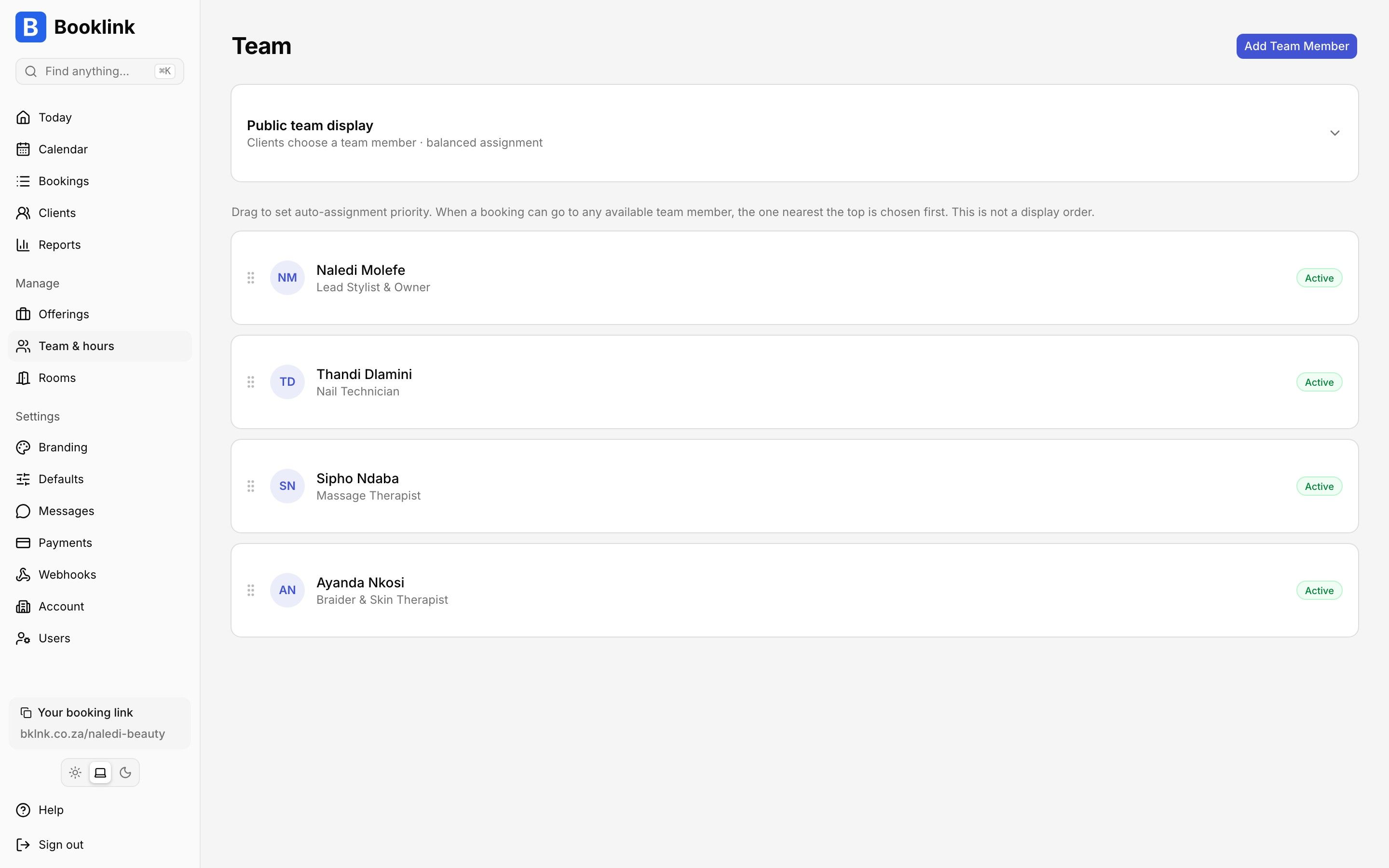
Add up to 5 team members, each with their own profile, services, and availability.
In one paragraph
How does team booking work in Booklink?
On Booklink's Pro plan, a salon or studio owner can add up to 5 team members (for example, hair stylists, beauty therapists, massage therapists, or personal trainers). Each team member has their own profile with a photo, title, bio, and a list of services they offer. Owners can set individual working hours, days off, and custom pricing per team member. When a client visits the booking page, they choose the service they want and are then shown which team members offer that service and when those team members are next available. The client can explicitly pick their favourite team member or accept auto-assignment based on priority or balanced workload. Each team member connects their own Google Calendar, so personal events block their booking page automatically - preventing double-bookings without any manual data entry. Team members can also be given their own Booklink login with granular permissions: pick a starting template (Owner, Front desk, or Staff) and adjust access per area. Calendar and finances access can be set to none, own bookings only, or everything, while clients, services, team, messages, and settings each range from no access to view-only to full management. A stylist can be limited to their own diary while the front desk sees the whole calendar, and only the owner touches billing.
Frequently asked questions
How many team members can I add?
Can team members have different prices?
Can clients pick their preferred team member?
Do team members get their own login?
Explore more Booklink features
New to online booking? Read the full online booking guide for South African businesses.
Onboard your whole team today
Start on the free plan, upgrade to Pro when you need more team members.
Create your free account